<?xml version="1.0" encoding="utf-8"?>
<feed xmlns="http://www.w3.org/2005/Atom">
  <title>陈思</title>
  
  
  <link href="https://chensi.moe/blog/atom.xml" rel="self"/>
  
  <link href="https://chensi.moe/blog/"/>
  <updated>2020-10-05T09:12:55.560Z</updated>
  <id>https://chensi.moe/blog/</id>
  
  <author>
    <name>Simon Chan</name>
    
  </author>
  
  <generator uri="https://hexo.io/">Hexo</generator>
  
  <entry>
    <title>How does WebADB work (part 3) - Stream</title>
    <link href="https://chensi.moe/blog/2020/10/04/webadb-part3-stream/"/>
    <id>https://chensi.moe/blog/2020/10/04/webadb-part3-stream/</id>
    <published>2020-10-04T07:35:23.000Z</published>
    <updated>2020-10-05T09:12:55.560Z</updated>
    
    <content type="html"><![CDATA[<p>Last time we have successfully connected to devices. Now we can try to send some commands.</p><p>ADB commands are a lot like HTTP requests.</p><ul><li>Each request has a url called “service string” to specify it’s type.</li><li>Simpler requests embed parameters in “service string”, like GET requests.</li><li>More complex requests send extra data to the stream before daemon responses, just like POST requests.</li></ul><p>But actually ADB streams are fully duplex, client and daemon can send data to each other at any time.</p><p>Let me explain it in more detail.</p><a id="more"></a><!-- toc --><ul><li><a href="#control-packet">Control Packet</a><ul><li><a href="#open-packet">OPEN packet</a></li><li><a href="#clse-packet">CLSE packet</a></li><li><a href="#okay-packet">OKAY packet</a></li><li><a href="#wite-packet">WITE packet</a></li><li><a href="#close-a-stream">Close a stream</a></li></ul></li><li><a href="#blocking">Blocking</a></li><li><a href="#implementation">Implementation</a><ul><li><a href="#dispatcher">Dispatcher</a></li><li><a href="#stream">Stream</a></li></ul></li><li><a href="#commands">Commands</a><ul><li><a href="#usb"><code>usb:</code></a></li><li><a href="#tcpipport"><code>tcpip:&#123;port&#125;</code></a></li></ul></li><li><a href="#whats-next">What’s next</a></li></ul><!-- tocstop --><h1><span id="control-packet">Control Packet</span></h1><p>In last post we seen two types of ADB packets: <code>CNXN</code> for connecting and <code>AUTH</code> for authorization.</p><p>There are some other packets for stream multiplexing:</p><h2><span id="open-packet">OPEN packet</span></h2><p>An <code>OPEN</code> packet requests the other side to create a new stream. Most time streams are initiated by clients, the only exception is the “reverse forwarding” feature where the daemon initiates a stream.</p><table><thead><tr><th>Field</th><th>Value</th><th>Description</th></tr></thead><tbody><tr><td><code>command</code></td><td><code>0x4e45504f</code></td><td>‘OPEN’ in UTF-8 encoding</td></tr><tr><td><code>arg0</code></td><td>local id</td><td>Starting from <code>1</code> and auto increasing</td></tr><tr><td><code>arg1</code></td><td><code>0</code></td><td>not used</td></tr><tr><td><code>payload</code></td><td><code>&#123;destination&#125;:&#123;parameters&#125;</code></td><td>Service string</td></tr></tbody></table><p>The service string is a little bit massy</p><ol><li>Android &lt;9 requires an extra null character at end</li><li>Every commands’ format is slightly different, so I will explain more in each commands’ section</li></ol><p>Note: “local id” on the transmitting side is actually “remote id” on the receiving side, and vice versa.</p><h2><span id="clse-packet">CLSE packet</span></h2><p>If the other end don’t want to create the stream, for example because the service string was invalid, it will send a <code>CLSE</code> packet.</p><table><thead><tr><th>Field</th><th>Value</th><th>Description</th></tr></thead><tbody><tr><td><code>command</code></td><td><code>0x45534c43</code></td><td>‘CLSE’ in UTF-8 encoding</td></tr><tr><td><code>arg0</code></td><td><code>0</code></td><td><code>0</code> means <code>OPEN</code> stream failed</td></tr><tr><td><code>arg1</code></td><td>remote id</td><td>Same as <code>arg0</code> of the <code>OPEN</code> packet</td></tr><tr><td><code>payload</code></td><td>EMPTY</td><td></td></tr></tbody></table><h2><span id="okay-packet">OKAY packet</span></h2><p>If the other end successfully created the stream, it sends back an <code>OKAY</code> packet.</p><table><thead><tr><th>Field</th><th>Value</th><th>Description</th></tr></thead><tbody><tr><td><code>command</code></td><td><code>0x59414b4f</code></td><td>‘OKAY’ in UTF-8 encoding</td></tr><tr><td><code>arg0</code></td><td>local id</td><td>Starting from <code>1</code> and auto increasing</td></tr><tr><td><code>arg1</code></td><td>remote id</td><td>Same as <code>arg0</code> of the <code>OPEN</code> packet</td></tr><tr><td><code>payload</code></td><td>EMPTY</td><td></td></tr></tbody></table><p>For example, the client want to open a stream with service string <code>usb:</code> (for switching the daemon to usb mode), so far it should look like this:</p><img src="http://www.plantuml.com/plantuml/svg/JOsz2i8m58NtFCNPiaH8rWo294w2TNMyjX4kf4r8ek3R6wr8fmFdvpkPIkEHCoqDBdBeGXLEv8tlASnf-VXU21eRFwc5td7OxU4iOXefWYVKrbSLzv9cc3Ns5iFbU5Om2bf1FkhDoWt52_-h_IbSGR44cbumUetxoN0wN3j5VqbIlW40"><p>Not the client can find the stream with local id <code>1</code> and set its state to connected.</p><h2><span id="wite-packet">WITE packet</span></h2><table><thead><tr><th>Field</th><th>Value</th><th>Description</th></tr></thead><tbody><tr><td><code>command</code></td><td><code>0x45534c43</code></td><td>‘WITE’ in UTF-8 encoding</td></tr><tr><td><code>arg0</code></td><td>local id</td><td></td></tr><tr><td><code>arg1</code></td><td>remote id</td><td></td></tr><tr><td><code>payload</code></td><td>data</td><td></td></tr></tbody></table><p>The <code>WITE</code> packet writes data to the stream so it can be read from other side. I have already said that each side can write data to stream at any time.</p><p>The payload’s size must not exceed the max payload size negotiated between client and daemon on connection. However, multiple <code>WRIT</code> packets can be used to send a long message.</p><p>The receiving end will send back a <code>OKAY</code> packet to indicate that it has received the data. The transmitting side must not send another <code>WITE</code> before receiving a <code>OKAY</code> packet.</p><p>For example, the client has already created a stream, which has local id 10 and remote id 20, now it want to send 500 bytes of data to it, however the max payload size is only 300 bytes.</p><img src="http://www.plantuml.com/plantuml/svg/AqWiAibCpYn8p2jHSCx9J0LIYSKApbm5IE8kYQcv-NaWSHSkhiJaaioon99Ke1fd1Lqx1HShXN3F45ST1KC37GKZ85PFoomgBb4mDZ1GIAeiIIrMo4zJI4aiILH7qkl2vGBIwsobuE_j60dH1zAl3bI4mzISHA2XHfY6uZG80000"><p>Another example, the client and daemon both want to send data over the same stream:</p><img src="http://www.plantuml.com/plantuml/svg/AqWiAibCpYn8p2jHSCx9J0LIYSKApbm5IE8kYQcv-NaWSHSkhiJaaioon99Ke1fd1Lqx1HShXN3F45ST1KC37GKZ85OlpizDLKX9B4bKHrBjmkK2KkqCKmrIQGXNdL-IaLe4rGDJv-_j68ca3cWOp3w83Dm-TIu0"><h2><span id="close-a-stream">Close a stream</span></h2><p>Both sides can close a stream, no matter which side initiated it, at any time, by sending a <code>CLSE</code> packet with a non-zero <code>arg0</code> (local id).</p><h1><span id="blocking">Blocking</span></h1><p>Although it looks like there are multiple streams, in fact they all transfer through a single connection. So if you don’t read the available data from stream 1, it will block data on all other streams.</p><p>To solve this problem, each stream can have its own buffer, or multiple threads can be created to receive and process data.</p><h1><span id="implementation">Implementation</span></h1><h2><span id="dispatcher">Dispatcher</span></h2><p>To implement the stream multiplexer, I created a new class call <code>AdbPacketDispatcher</code>: In fact, not only stream control packets, it’s responsible for reading all packets, including the <code>CNXN</code> and <code>AUTH</code> packets we talked earlier.</p><p>The point is that there is only one location in the whole package to read packets:</p><ol><li>If the reading logic ever requires changes, for example the format is changed, or I want to add some logging, I only need to change this one location.</li><li>If some new packet types was added, and new code is needed to handle them, I don’t need to duplicate the reading logic again, I can just hook it to the dispatcher.</li></ol><p>The dispatcher only knows how to handle stream control packets, but it has an <code>onPacket</code> event so other modules can attach a listener for any packets they interested.</p><h2><span id="stream">Stream</span></h2><p>The <code>AdbStream</code> class itself is event-driven, an <code>onData</code> event and an <code>onClose</code> event corresponding to the <code>WITE</code> and <code>CLSE</code> packets received. It’s the most simple form of implementation.</p><p>However many times it’s more convenient to use a pulling pattern (calling some function and wait it to return some value). So I first created an <code>EventQueue</code> helper class that can transform any event into a pulling system and supports buffering.</p><p>Then the <code>AdbReadableStream</code> class was added. It uses the <code>EventQueue</code>‘s buffer to mitigate blocking issue, and it provides a <code>read</code> method that returns a Promise which will eventually resolves to newly received data.</p><p>But it still has an issue. <code>AdbReadableStream</code>‘s <code>read</code> method always returns as much data as the operating systems returns, sometimes other parts may only need exactly N bytes. So I created another <code>BufferedStream</code> helper class, it can take anything that returns <code>ArrayBuffer</code>s, split and rearrange them into the requested size. It’s used by the <code>AdbBufferedStream</code> class, that wraps an <code>AdbReadableStream</code>.</p><p>Looks complex? In fact it’s pretty clear:</p><ol><li>Each pattern has its usage. For example pulling pattern requires a reading loop while event pattern doesn’t.</li><li>Each class has only one way to consume. If all three patterns are in the same class, I can’t even imagine what will happen if I use the event and the <code>read</code> method at the same time.</li><li>Each helper class is generic and can be used by other similar requirement. Actually I also used the <code>EventQueue</code> in the demo project to convert another event into pulling pattern.</li></ol><h1><span id="commands">Commands</span></h1><p>Commands are identified by the service string. Most commands are sent by clients.</p><p>Let’s see some simple commands:</p><h2><span id="usb"><code>usb:</code></span></h2><p>This command turns off TCP port listening on the daemon. It doesn’t have any parameter in the service string, and client doesn’t send any data over the opened stream.</p><p>(After the <code>OKAY</code> packet to confirm the stream is opened) the server will send <code>restarting in USB mode\n</code> over the stream, then <code>CLSE</code> it, and restart itself (dropping the connection).</p><h2><span id="tcpip123port125"><code>tcpip:&#123;port&#125;</code></span></h2><p>This command tells the daemon to listen on the specified port. <code>&#123;port&#125;</code> is a UTF-8 encoded number that &gt;0 and &lt;65536.</p><p>Like <code>usb:</code>, the client doesn’t transfer anything over the stream. The daemon will respond <code>restarting in TCP mode port: &#123;port&#125;\n</code>, <code>CLSE</code> the stream, and restart.</p><h1><span id="whats-next">What’s next</span></h1><p>Next time is about the <code>sync:</code> command. It’s more complicated: both sides will transfer more data over the opened stream to achieve file operations, including listing, downloading and uploading.</p>]]></content>
    
    
    <summary type="html">&lt;p&gt;Last time we have successfully connected to devices. Now we can try to send some commands.&lt;/p&gt;
&lt;p&gt;ADB commands are a lot like HTTP requests.&lt;/p&gt;
&lt;ul&gt;
&lt;li&gt;Each request has a url called “service string” to specify it’s type.&lt;/li&gt;
&lt;li&gt;Simpler requests embed parameters in “service string”, like GET requests.&lt;/li&gt;
&lt;li&gt;More complex requests send extra data to the stream before daemon responses, just like POST requests.&lt;/li&gt;
&lt;/ul&gt;
&lt;p&gt;But actually ADB streams are fully duplex, client and daemon can send data to each other at any time.&lt;/p&gt;
&lt;p&gt;Let me explain it in more detail.&lt;/p&gt;</summary>


    <category term="WebADB" scheme="https://chensi.moe/blog/tags/WebADB/"/>
    
  </entry>
  
  <entry>
    <title>How does WebADB work (part 2) - Connection</title>
    <link href="https://chensi.moe/blog/2020/09/30/webadb-part2-connection/"/>
    <id>https://chensi.moe/blog/2020/09/30/webadb-part2-connection/</id>
    <published>2020-09-30T15:21:58.000Z</published>
    <updated>2020-10-05T07:36:17.613Z</updated>
    
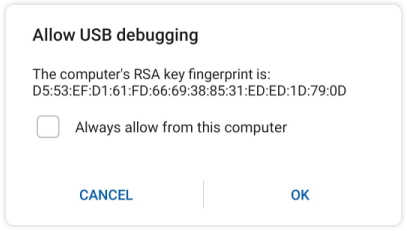
    <content type="html"><![CDATA[<p>Originally, ADB transfers through USB and TCP, which are both “stream”s that doesn’t have a packet boundary. So ADB defined its own packet format.</p><p>In this post I will explain:</p><ol><li>ADB packet format;</li><li><code>CNXN</code> and <code>AUTH</code>, the two packet types used to establish a connection to a device;</li><li>How did I implement this.</li></ol><a id="more"></a><!-- toc --><ul><li><a href="#terminology">Terminology</a></li><li><a href="#transportation">Transportation</a></li><li><a href="#adb-packet">ADB Packet</a><ul><li><a href="#checksum">Checksum</a></li><li><a href="#magic">Magic</a></li></ul></li><li><a href="#first-packet">First packet</a><ul><li><a href="#version">Version</a></li><li><a href="#device-banner">Device banner</a></li></ul></li><li><a href="#auth">Auth</a><ul><li><a href="#token-authentication">Token authentication</a></li><li><a href="#public-key-authentication">Public Key authentication</a></li></ul></li><li><a href="#implement-authentication">Implement authentication</a></li><li><a href="#complete">Complete</a></li><li><a href="#whats-next">What’s next</a></li></ul><!-- tocstop --><h2><span id="terminology">Terminology</span></h2><p>As I talked in <a href="/blog/2020/09/29/webadb-part1-preparation/" title="part 1">part 1</a>, ADB has three parts:</p><ul><li>daemon: Runs on device, handle requests</li><li>server: Runs on computer, forward requests from client to daemon</li><li>client: Runs on computer, take user input and send requests to server</li></ul><p>Actually there are two protocols: One between client and server, and another between server and daemon.</p><p>However, in WebADB there is no split between client and server, it exposes APIs that send requests to daemon. In another word, I’m implementing the protocol used between server and daemon.</p><p>So from now on, I will call WebADB as client, and daemon is still daemon.</p><h2><span id="transportation">Transportation</span></h2><p>Native ADB implementation transports data over USB or TCP, and the code was mixed together. I have seen some commands relies on specific transportation and caused some bugs.</p><p>My principle of managing project is that:</p><ol><li>A project will start from a single file to quickly validate many design ideas</li><li>When file size grows, I begin to separate parts to become its own module</li><li>When doing that, I also think about the possibility to have an alternative implementation for each module</li><li>Two is enough. If a module may have another implementation, I will define an interface and decouple the exist implementation from other parts.</li></ol><p>For transportation, I can easily came with multiple implementations:</p><ul><li>Use WebUSB API in browsers</li><li>Use some other USB library in Node.js (with a different API)</li><li>Use the <code>net</code> module in Node.js to transfer over TCP</li><li>Maybe use WebSocket in Node.js and browsers, with a custom forwarder running on device</li></ul><p>So I defined a <code>AdbBackend</code> interface, containing a pair of <code>read</code> and <code>write</code> methods.</p><p>The constructor of <code>Adb</code> class takes an <code>AdbBackend</code> instance and use it to transfer data. I also refactored existing code to become the first <code>AdbBackend</code>.</p><p>Now the <code>ADB</code> class and the <code>AdbWebBackend</code> class are in separate packages. The whole <code>@yume-chan/adb</code> package uses only standard ECMAScript APIs so it can be used in any JavaScript runtime. While <code>@yume-chan/adb-backend-web</code> package uses many Web APIs and can only runs on browsers.</p><h2><span id="adb-packet">ADB Packet</span></h2><p>ADB transfers data in packets. A packet contains following fields.</p><table><thead><tr><th>Field</th><th>Type</th><th>Description</th></tr></thead><tbody><tr><td><code>command</code></td><td>uint32</td><td>Type of the packet</td></tr><tr><td><code>arg0</code></td><td>uint32</td><td>Has different meaning defined by <code>command</code></td></tr><tr><td><code>arg1</code></td><td>uint32</td><td>Has different meaning defined by <code>command</code></td></tr><tr><td><code>payloadLength</code></td><td>uint32</td><td>Length of the <code>payload</code>, in bytes</td></tr><tr><td><code>checksum</code></td><td>uint32</td><td>Checksum of the packet</td></tr><tr><td><code>magic</code></td><td>uint32</td><td>Always <code>command</code> ^ 0xFFFFFFFF</td></tr><tr><td><code>payload</code></td><td>uint8[payloadLength]</td><td>Has different meaning defined by <code>command</code></td></tr></tbody></table><p>All fields are little-endian, strings are in UTF-8 encoding, some strings require a null-character while some others not.</p><h3><span id="checksum">Checksum</span></h3><p>Currently ADB protocol has two versions:</p><ul><li>Version 1 requires the checksum field. It’s calculated by adding up all bytes in <code>payload</code>, ignoring overflow.</li><li>Version 2 doesn’t require checksum, so this field is always <code>0</code>.</li></ul><p>Maybe because ADB only transfers over a USB cable or a wireless router which is reliable enough, the possibility of bit flip is very low. And calculating checksum for large payloads is costing. So it was removed in second version.</p><p>More on versioning later.</p><h3><span id="magic">Magic</span></h3><p>It’s always taking the <code>command</code> field and xor it with <code>0xFFFFFFFF</code>. Maybe ADB use it to detect packet boundaries. I’m not really sure.</p><p>Since <code>checksum</code> and <code>magic</code> are not affected by packet types, and <code>payloadLength</code> is always the length of <code>payload</code> field, I will omit them from now on.</p><h2><span id="first-packet">First packet</span></h2><p>Client will send the first packet to the daemon. It has following values:</p><table><thead><tr><th>Field</th><th>Value</th><th>Description</th></tr></thead><tbody><tr><td><code>command</code></td><td><code>0x4e584e43</code></td><td>‘CNXN’ in UTF-8 encoding</td></tr><tr><td><code>arg0</code></td><td>See <a href="#version">Version</a></td><td>ADB protocol version number</td></tr><tr><td><code>arg1</code></td><td>See <a href="#version">Version</a></td><td>Max payload size</td></tr><tr><td><code>payload</code></td><td>See <a href="#device-banner">Device banner</a></td><td>Device banner</td></tr></tbody></table><p>Note: ‘CNXN’ actually encodes to <code>[0x43, 0x4e, 0x58, 0x4e]</code>, but since all fields are little-endian, it’s interpreted as <code>0x4e584e43</code>.</p><h3><span id="version">Version</span></h3><p>ADB now has two versions</p><table><thead><tr><th>Version number</th><th>Android version</th><th>Max payload size</th><th>Requires checksum</th></tr></thead><tbody><tr><td><code>0x01000000</code></td><td>&lt;9</td><td><code>4 * 1024</code></td><td>Yes</td></tr><tr><td><code>0x01000001</code></td><td>&gt;=9</td><td><code>1024 * 1024</code></td><td>No</td></tr></tbody></table><p>Most recent Android devices should support version <code>0x01000001</code>.</p><p>Client and daemon will negotiate which version (and max payload size) to be used.</p><ol><li>Client sends a <code>CNXN</code> request contains its max supported version and max payload size (less than or equal to version limit).</li><li>Client and daemon may need several packets to authenticate, these packets must not exceed <code>4 * 1024</code> bytes because the other end may not support larger sizes.</li><li>Daemon responses a <code>CNXN</code> packet with its max supported version and max payload size.</li><li>Client and daemon uses a smaller value of two versions and max payload sizes for this connection.</li></ol><h3><span id="device-banner">Device banner</span></h3><p>Device banner is defined as following:</p><p><em>DeviceBanner</em> <strong>:</strong><br>  <em>DeviceIdentifier</em> <strong>::</strong> <em>ParameterList</em> <strong>\0</strong></p><p><em>DeviceIdentifer</em> <strong>:</strong><br>  <strong>host</strong><br>  <strong>device</strong><br>  <strong>bootloader</strong></p><p><em>ParameterList</em> <strong>:</strong><br>  <em>Parameter</em><br>  <em>ParameterList</em> <em>Parameter</em></p><p><em>Parameter</em> <strong>:</strong><br>  <em>ParameterName</em> <strong>=</strong> <em>ParameterValue</em> <strong>;</strong></p><p><em>ParameterName</em> <strong>:</strong><br>  any Unicode code point</p><p><em>ParameterValue</em> <strong>:</strong><br>  <em>ParameterStringValue</em><br>  <em>ParameterListValue</em></p><p><em>ParameterStringValue</em> <strong>:</strong><br>  any Unicode code point</p><p><em>ParameterListValue</em> <strong>:</strong><br>  <em>ParameterStringValue</em><br>  <em>ParameterListValue</em> <strong>,</strong> <em>ParameterStringValue</em></p><p>A CNXN request’s device banner should look like this:</p><figure class="highlight text"><table><tr><td class="gutter"><pre><span class="line">1</span><br></pre></td><td class="code"><pre><span class="line">host::features=&#123;feature1&#125;,&#123;feature2&#125;,...;\0</span><br></pre></td></tr></table></figure><p>Note that the last <code>;</code> and <code>\0</code> are required for Android &lt;9 to work.</p><h2><span id="auth">Auth</span></h2><p>If daemon requires authentication, it will send back an Auth request.</p><table><thead><tr><th>Field</th><th>Value</th><th>Description</th></tr></thead><tbody><tr><td><code>command</code></td><td><code>0x48545541</code></td><td>‘Auth’ in UTF-8 encoding</td></tr><tr><td><code>arg0</code></td><td><code>1</code></td><td>Indicates token request</td></tr><tr><td><code>arg1</code></td><td><code>0</code></td><td>Not used</td></tr><tr><td><code>payload</code></td><td>random string (20 bytes)</td><td>Token to be signed</td></tr></tbody></table><h3><span id="token-authentication">Token authentication</span></h3><p>Client signs the received token with its RSA private key, and send a Token Auth response.</p><table><thead><tr><th>Field</th><th>Value</th><th>Description</th></tr></thead><tbody><tr><td><code>command</code></td><td><code>0x48545541</code></td><td>‘Auth’ in UTF-8 encoding</td></tr><tr><td><code>arg0</code></td><td><code>2</code></td><td>Indicates signature response</td></tr><tr><td><code>arg1</code></td><td><code>0</code></td><td>Not used</td></tr><tr><td><code>payload</code></td><td>RSA signed token (256 bytes)</td><td></td></tr></tbody></table><p>If daemon can verify the signature with any saved public key, authentication succeed.</p><p>If not, the daemon will send another Auth request with a different token, the client can try again with a different RSA private key (if it has multiple ones).</p><h3><span id="public-key-authentication">Public Key authentication</span></h3><p>After the client has tried all its RSA private keys but no one succeed, the client can send its RSA public key to daemon</p><table><thead><tr><th>Field</th><th>Value</th><th>Description</th></tr></thead><tbody><tr><td><code>command</code></td><td><code>0x48545541</code></td><td>‘Auth’ in UTF-8 encoding</td></tr><tr><td><code>arg0</code></td><td><code>3</code></td><td>Indicates public key response</td></tr><tr><td><code>arg1</code></td><td><code>0</code></td><td>Not used</td></tr><tr><td><code>payload</code></td><td>Base 64 encoded ADB public key (701 bytes)</td><td>Not RSA public key</td></tr></tbody></table><p>The payload is 701 bytes long because:</p><ol><li>The ADB public key is 524 bytes long</li><li>After base 64 encoding it’s 700 bytes long</li><li>ADB daemon requires an extra null character at end</li></ol><p>I really don’t understand what’s the point of base 64 encoding and extra null character, clearly the connection can transfer binary data directly right?</p><p>For how to generate the ADB public key you can refer to the source code directly. It’s some math that I don’t understand either.</p><p>Anyway, now this should popup on the device screen:</p><p><img src="/blog/2020/09/30/webadb-part2-connection/prompt.jpg"></p><p>If the user tap <code>OK</code>, daemon will accept the connection. If the user also ticked the “Always allow this computer” checkbox, daemon will save this public key to its storage. So next time the same client connects, it can use token authentication.</p><p>There is no way for the client to know if the user tapped <code>Cancel</code> or they just ignored it.</p><h2><span id="implement-authentication">Implement authentication</span></h2><p>Clearly there are some states: each Auth request must be responded with a different key.</p><p>The solution I came out was generator function, more specifically, async generator function.</p><p>A generator function can take arguments, return a value, then pause its execution. When required, it will resume its execution and return another value. All local variables will be preserved between executions. And more important, generator functions in JavaScript can receive a value when resuming, which is not possible with other language, for example C#.</p><p>I also added key enumeration and generation to <code>AdbBackend</code>, since every runtime may have its own way of generating and storing.</p><p>At last a authentication method can be implemented like this</p><figure class="highlight ts"><table><tr><td class="gutter"><pre><span class="line">1</span><br><span class="line">2</span><br><span class="line">3</span><br><span class="line">4</span><br><span class="line">5</span><br><span class="line">6</span><br><span class="line">7</span><br><span class="line">8</span><br><span class="line">9</span><br><span class="line">10</span><br><span class="line">11</span><br><span class="line">12</span><br><span class="line">13</span><br><span class="line">14</span><br><span class="line">15</span><br><span class="line">16</span><br><span class="line">17</span><br><span class="line">18</span><br><span class="line">19</span><br></pre></td><td class="code"><pre><span class="line"><span class="keyword">export</span> <span class="keyword">async</span> <span class="function"><span class="keyword">function</span>* <span class="title">AdbSignatureAuthenticator</span>(<span class="params"></span></span></span><br><span class="line"><span class="function"><span class="params">    backend: AdbBackend,</span></span></span><br><span class="line"><span class="function"><span class="params">    packet: AdbPacket,</span></span></span><br><span class="line"><span class="function"><span class="params"></span>): <span class="title">AsyncIterator</span>&lt;<span class="title">AdbPacketInit</span>, <span class="title">void</span>, <span class="title">AdbPacket</span>&gt; </span>&#123;</span><br><span class="line">    <span class="keyword">for</span> <span class="keyword">await</span> (<span class="keyword">const</span> key <span class="keyword">of</span> backend.iterateKeys()) &#123;</span><br><span class="line">        <span class="keyword">if</span> (packet.arg0 !== AdbAuthType.Token) &#123;</span><br><span class="line">            <span class="keyword">return</span>;</span><br><span class="line">        &#125;</span><br><span class="line"></span><br><span class="line">        <span class="keyword">const</span> signature = sign(key, packet.payload!);</span><br><span class="line"></span><br><span class="line">        packet = <span class="keyword">yield</span> &#123;</span><br><span class="line">            command: AdbCommand.Auth,</span><br><span class="line">            arg0: AdbAuthType.Signature,</span><br><span class="line">            arg1: <span class="number">0</span>,</span><br><span class="line">            payload: signature</span><br><span class="line">        &#125;;</span><br><span class="line">    &#125;</span><br><span class="line">&#125;</span><br></pre></td></tr></table></figure><p>It receives the first packet from argument, later it overwrite the <code>packet</code> variable name with newly received packets from <code>yield</code>.</p><p>I have to admit that this usage is very uncommon, and a little bit hard to understand without explanation.</p><p>Another huge downside is that invoking such a generator, especially a list of such generators (I need to support multiple authentication methods), is much much uglier. The only way to return a value to <code>yield</code> is manually invoking the <code>next</code> method. In this case error handling and iterator state management also has to be done manually, normally all being taken care by <code>for...of</code>.</p><p>However, because authenticators need to iterate through both key list and request packet list, there is really no elegant way to iterate through multiple lists at same time. You will end with doing all those dirty things manually anyway. My implementation won’t duplicate such logic in each authenticator so I think it’s still a better option.</p><h2><span id="complete">Complete</span></h2><p>Finally, if any authentication method succeeds (or the daemon is a debug build that doesn’t requires authentication), the daemon will send a Connect response, with these values:</p><table><thead><tr><th>Field</th><th>Value</th><th>Description</th></tr></thead><tbody><tr><td><code>command</code></td><td><code>0x4e584e43</code></td><td>‘CNXN’ in UTF-8 encoding</td></tr><tr><td><code>arg0</code></td><td>See <a href="#version">Version</a></td><td>ADB protocol version number</td></tr><tr><td><code>arg1</code></td><td>See <a href="#version">Version</a></td><td>Max payload size</td></tr><tr><td><code>payload</code></td><td><code>device::&#123;device_banner&#125;</code></td><td>Device banner</td></tr></tbody></table><p>The response device banner looks like this:</p><figure class="highlight text"><table><tr><td class="gutter"><pre><span class="line">1</span><br></pre></td><td class="code"><pre><span class="line">device::ro.product.name=&#123;product_name&#125;;ro.product.model=&#123;device_model&#125;;ro.product.device=&#123;device_name&#125;;features=&#123;feature1&#125;,&#123;feature2&#125;,...</span><br></pre></td></tr></table></figure><p><code>features</code> is used for feature detection. Some newer command or variants are not supported by older devices, ADB can test it with this field.</p><p>I don’t think ADB uses other fields.</p><h2><span id="whats-next">What’s next</span></h2><p>The core of ADB is a stream multiplexer. All ADB commands are based on streams. This means they don’t directly send ADB packets. Next time I will explain this in detail.</p><p>The next post should contains less “how does ADB work” thing and more implementation decisions and details. I believe so.</p>]]></content>
    
    
    <summary type="html">&lt;p&gt;Originally, ADB transfers through USB and TCP, which are both “stream”s that doesn’t have a packet boundary. So ADB defined its own packet format.&lt;/p&gt;
&lt;p&gt;In this post I will explain:&lt;/p&gt;
&lt;ol&gt;
&lt;li&gt;ADB packet format;&lt;/li&gt;
&lt;li&gt;&lt;code&gt;CNXN&lt;/code&gt; and &lt;code&gt;AUTH&lt;/code&gt;, the two packet types used to establish a connection to a device;&lt;/li&gt;
&lt;li&gt;How did I implement this.&lt;/li&gt;
&lt;/ol&gt;</summary>


    <category term="WebADB" scheme="https://chensi.moe/blog/tags/WebADB/"/>
    
  </entry>
  
  <entry>
    <title>How does WebADB work (part 1) - Preparation</title>
    <link href="https://chensi.moe/blog/2020/09/29/webadb-part1-preparation/"/>
    <id>https://chensi.moe/blog/2020/09/29/webadb-part1-preparation/</id>
    <published>2020-09-29T05:06:49.000Z</published>
    <updated>2020-12-26T08:42:22.323Z</updated>
    
    <content type="html"><![CDATA[<p>Following the <a href="/blog/2020/09/28/webadb-part0-overview/" title="overview">overview</a>, in this post I want to talk about:</p><ol><li>Tools I used</li><li>Some research I did before starting coding</li></ol><a id="more"></a><!-- toc --><ul><li><a href="#tools">Tools</a></li><li><a href="#hack-adb">Hack ADB</a><ul><li><a href="#adb_trace-environment-variable"><code>ADB_TRACE</code> environment variable</a></li><li><a href="#run-adb-server-manually">Run ADB server manually</a></li><li><a href="#adb_emu-environment-variable"><code>ADB_EMU</code> environment variable</a></li><li><a href="#logs-are-truncated">Logs are … truncated …</a></li><li><a href="#search-for-code">Search for code</a></li><li><a href="#evil-method">Evil method</a></li><li><a href="#done">Done</a></li></ul></li><li><a href="#whats-next">What’s next</a></li></ul><!-- tocstop --><style>.ascii-diagram pre {  line-height: 14px !important;  overflow: hidden;}.scroll-code {  max-height:30em;  margin: 0 -20px;  padding: 0 20px;  overflow-y: auto;}</style><h2><span id="tools">Tools</span></h2><ul><li><p>Developing environment</p><p>I’m using Windows 10, Microsoft Edge and Visual Studio Code</p></li><li><p>Android devices</p><p>I have a Onyx Nova Pro (Android 6), a Huawei Mate 9 (Android 9) and a Samsung Galaxy S9 (Android 10) for testing.</p></li><li><p>ADB source code</p><p>Because ADB is open-sourced and my project will also be, I can refer to it’s source code for help.</p><p><del>The Git repository can be checked out from <a href="https://android.googlesource.com/platform/system/core.git">https://android.googlesource.com/platform/system/core.git</a> (or the GitHub mirror <a href="https://github.com/aosp-mirror/platform_system_core">https://github.com/aosp-mirror/platform_system_core</a>).</del></p><p>The source code has been moved to <a href="https://android.googlesource.com/platform/packages/modules/adb">https://android.googlesource.com/platform/packages/modules/adb</a></p><p>ADB related files are in the <code>adb</code> folder.</p></li><li><p>ADB pre-built executable</p><p>Because <a href="https://source.android.com/setup/build/adb">building ADB</a> is very complicate (you need to build the whole Android system, requiring hundreds of gigabytes of hard drive space and all the configuring), it’s easier just downloading a pre-built binary from <a href="https://developer.android.com/studio/releases/platform-tools">https://developer.android.com/studio/releases/platform-tools</a>.</p></li></ul><h2><span id="hack-adb">Hack ADB</span></h2><p>After a quick scan of the code, I discovered some features that can make my work easier.</p><h3><span id="adb_trace-environment-variable"><code>ADB_TRACE</code> environment variable</span></h3><p>ADB can dump all messages to the terminal, so I can gather real data to test against my implementation.</p><p>Set <code>ADB_TRACE</code> environment variable to <code>all</code> enables all debug output, including message dumps.</p><h3><span id="run-adb-server-manually">Run ADB server manually</span></h3><p>Set <code>ADB_TRACE</code> alone is not enough. ADB has three parts: ADB daemon, ADB server and ADB client.</p><div class="ascii-diagram"><figure class="highlight text"><table><tr><td class="gutter"><pre><span class="line">1</span><br><span class="line">2</span><br><span class="line">3</span><br><span class="line">4</span><br><span class="line">5</span><br><span class="line">6</span><br><span class="line">7</span><br><span class="line">8</span><br><span class="line">9</span><br><span class="line">10</span><br><span class="line">11</span><br><span class="line">12</span><br><span class="line">13</span><br><span class="line">14</span><br><span class="line">15</span><br><span class="line">16</span><br><span class="line">17</span><br></pre></td><td class="code"><pre><span class="line">+-----------------------------------+</span><br><span class="line">|                                   |</span><br><span class="line">|  +----------+         +--------+  |</span><br><span class="line">|  |          &lt;---------+        |  |       +--------------+</span><br><span class="line">|  | Client 1 |         |        |  |       |              |</span><br><span class="line">|  |          +---------&gt;        |  |       |  +--------+  |</span><br><span class="line">|  +----------+         |        +-------------&gt;        |  |</span><br><span class="line">|                       | Server |  |       |  | Daemon |  |</span><br><span class="line">|  +----------+         |        &lt;-------------+        |  |</span><br><span class="line">|  |          +---------&gt;        |  |       |  +--------+  |</span><br><span class="line">|  | Client 2 |         |        |  |       |              |</span><br><span class="line">|  |          &lt;---------+        |  |       |    Device    |</span><br><span class="line">|  +----------+         +--------+  |       |              |</span><br><span class="line">|                                   |       +--------------+</span><br><span class="line">|             Computer              |</span><br><span class="line">|                                   |</span><br><span class="line">+-----------------------------------+</span><br></pre></td></tr></table></figure></div><p>Normally, running an <code>adb</code> command will start a ADB client. The client will try to connect to a server running locally, and if there isn’t one, spawn a new one in background.</p><p>The problem is that what I want to do is dumping messages between server and daemon, and since the server was started by client in background, there is no way to access its output.</p><p>So we need a way to start a server manually. <code>--help</code> message isn’t always that helpful, however I found the answer from source code:</p><figure class="highlight sh"><table><tr><td class="gutter"><pre><span class="line">1</span><br></pre></td><td class="code"><pre><span class="line">adb server nodaemon</span><br></pre></td></tr></table></figure><h3><span id="adb_emu-environment-variable"><code>ADB_EMU</code> environment variable</span></h3><p>Upon launching, ADB server will scan through TCP ports 5554 to 5570 on localhost to detect running Android emulators.</p><p>With <code>ADB_TRACE=all</code> set, this process results in dozens of connection error messages.</p><p>Set <code>ADB_EMU=0</code> disables emulator detection entirely. While set <code>ADB_EMU=&#123;port&#125;</code> let ADB to only search for emulators at <em>{port}</em>.</p><h3><span id="logs-are-truncated">Logs are … truncated …</span></h3><p>After setting these environment variables, ADB now starts outputting messages to the terminal.</p><figure class="highlight shell"><table><tr><td class="gutter"><pre><span class="line">1</span><br></pre></td><td class="code"><pre><span class="line">adb.exe D 09-28 13:34:34 15484  2084 transport.cpp:687] 5541494e4c583398: from remote: [AUTH] arg0=1 arg1=0 (len=20) 8f402a7b9b59006202c4049f8066f041 .@*&#123;.Y.b.....f.A [truncated]</span><br></pre></td></tr></table></figure><p>However, ADB only prints first 16 bytes, that’s not very useful if we want to see how the protocol work.</p><h3><span id="search-for-code">Search for code</span></h3><p>A quick search leads to <a href="https://github.com/aosp-mirror/platform_system_core/blob/2b1c37a3e43fc35ba5cb9e658c15a19df3e45b70/adb/adb_utils.cpp#L162">adb_utils.cpp#L162</a></p><div class="scroll-code"><figure class="highlight c++"><table><tr><td class="gutter"><pre><span class="line">1</span><br><span class="line">2</span><br><span class="line">3</span><br><span class="line">4</span><br><span class="line">5</span><br><span class="line">6</span><br><span class="line">7</span><br><span class="line">8</span><br><span class="line">9</span><br><span class="line">10</span><br><span class="line">11</span><br><span class="line">12</span><br><span class="line">13</span><br><span class="line">14</span><br><span class="line">15</span><br><span class="line">16</span><br><span class="line">17</span><br><span class="line">18</span><br><span class="line">19</span><br><span class="line">20</span><br><span class="line">21</span><br><span class="line">22</span><br><span class="line">23</span><br><span class="line">24</span><br><span class="line">25</span><br><span class="line">26</span><br><span class="line">27</span><br></pre></td><td class="code"><pre><span class="line"><span class="function"><span class="built_in">std</span>::<span class="built_in">string</span> <span class="title">dump_hex</span><span class="params">(<span class="keyword">const</span> <span class="keyword">void</span>* data, <span class="keyword">size_t</span> byte_count)</span> </span>&#123;</span><br><span class="line">    <span class="keyword">size_t</span> truncate_len = <span class="number">16</span>;</span><br><span class="line">    <span class="keyword">bool</span> truncated = <span class="literal">false</span>;</span><br><span class="line">    <span class="keyword">if</span> (byte_count &gt; truncate_len) &#123;</span><br><span class="line">        byte_count = truncate_len;</span><br><span class="line">        truncated = <span class="literal">true</span>;</span><br><span class="line">    &#125;</span><br><span class="line"></span><br><span class="line">    <span class="keyword">const</span> <span class="keyword">uint8_t</span>* p = <span class="keyword">reinterpret_cast</span>&lt;<span class="keyword">const</span> <span class="keyword">uint8_t</span>*&gt;(data);</span><br><span class="line"></span><br><span class="line">    <span class="built_in">std</span>::<span class="built_in">string</span> line;</span><br><span class="line">    <span class="keyword">for</span> (<span class="keyword">size_t</span> i = <span class="number">0</span>; i &lt; byte_count; ++i) &#123;</span><br><span class="line">        android::base::StringAppendF(&amp;line, <span class="string">&quot;%02x&quot;</span>, p[i]);</span><br><span class="line">    &#125;</span><br><span class="line">    line.push_back(<span class="string">&#x27; &#x27;</span>);</span><br><span class="line"></span><br><span class="line">    <span class="keyword">for</span> (<span class="keyword">size_t</span> i = <span class="number">0</span>; i &lt; byte_count; ++i) &#123;</span><br><span class="line">        <span class="keyword">int</span> ch = p[i];</span><br><span class="line">        line.push_back(<span class="built_in">isprint</span>(ch) ? ch : <span class="string">&#x27;.&#x27;</span>);</span><br><span class="line">    &#125;</span><br><span class="line"></span><br><span class="line">    <span class="keyword">if</span> (truncated) &#123;</span><br><span class="line">        line += <span class="string">&quot; [truncated]&quot;</span>;</span><br><span class="line">    &#125;</span><br><span class="line"></span><br><span class="line">    <span class="keyword">return</span> line;</span><br><span class="line">&#125;</span><br></pre></td></tr></table></figure></div><p>Sadly the limit is hard-coded and I can’t modify the source code (that requires a rebuild).</p><h3><span id="evil-method">Evil method</span></h3><p>So I got my <a href="https://ghidra-sre.org/">Ghidra</a> out. It’s one of the most powerful disassembly tools.</p><p>Search for some keywords.</p><p><img src="/blog/2020/09/29/webadb-part1-preparation/search.png" alt="Search -&gt; Program Text -&gt; &quot; [truncated]&quot;"></p><p><img src="/blog/2020/09/29/webadb-part1-preparation/search-result.png" alt="Search result"></p><p>Double click on <code>XREF</code> to jump to usage.</p><p>The “Decompile” view shows the reconstructed C code from assembly (I added some blank lines and comments).</p><div class="scroll-code"><figure class="highlight c++"><table><tr><td class="gutter"><pre><span class="line">1</span><br><span class="line">2</span><br><span class="line">3</span><br><span class="line">4</span><br><span class="line">5</span><br><span class="line">6</span><br><span class="line">7</span><br><span class="line">8</span><br><span class="line">9</span><br><span class="line">10</span><br><span class="line">11</span><br><span class="line">12</span><br><span class="line">13</span><br><span class="line">14</span><br><span class="line">15</span><br><span class="line">16</span><br><span class="line">17</span><br><span class="line">18</span><br><span class="line">19</span><br><span class="line">20</span><br><span class="line">21</span><br><span class="line">22</span><br><span class="line">23</span><br><span class="line">24</span><br><span class="line">25</span><br><span class="line">26</span><br><span class="line">27</span><br><span class="line">28</span><br><span class="line">29</span><br><span class="line">30</span><br><span class="line">31</span><br><span class="line">32</span><br><span class="line">33</span><br><span class="line">34</span><br><span class="line">35</span><br><span class="line">36</span><br><span class="line">37</span><br><span class="line">38</span><br><span class="line">39</span><br><span class="line">40</span><br><span class="line">41</span><br><span class="line">42</span><br><span class="line">43</span><br><span class="line">44</span><br><span class="line">45</span><br><span class="line">46</span><br><span class="line">47</span><br><span class="line">48</span><br><span class="line">49</span><br><span class="line">50</span><br><span class="line">51</span><br><span class="line">52</span><br><span class="line">53</span><br><span class="line">54</span><br><span class="line">55</span><br><span class="line">56</span><br><span class="line">57</span><br><span class="line">58</span><br><span class="line">59</span><br><span class="line">60</span><br><span class="line">61</span><br><span class="line">62</span><br><span class="line">63</span><br><span class="line">64</span><br><span class="line">65</span><br><span class="line">66</span><br><span class="line">67</span><br><span class="line">68</span><br><span class="line">69</span><br><span class="line">70</span><br><span class="line">71</span><br></pre></td><td class="code"><pre><span class="line"><span class="comment">// std::string dump_hex(uint8_t* data, uint32_t data_length)</span></span><br><span class="line"><span class="comment">// `param1` is the return value pointer.</span></span><br><span class="line"><span class="comment">// I guess the compiler use this pattern to &quot;move&quot; the result instead of copying.</span></span><br><span class="line"><span class="function">undefined4 * <span class="title">FUN_00428410</span><span class="params">(undefined4 *param_1,<span class="keyword">int</span> param_2,uint param_3)</span></span></span><br><span class="line"><span class="function"></span>&#123;</span><br><span class="line">  <span class="keyword">int</span> iVar1;</span><br><span class="line">  byte bVar2;</span><br><span class="line">  uint uVar3;</span><br><span class="line">  uint uVar4;</span><br><span class="line"></span><br><span class="line">  <span class="comment">// std::string line;</span></span><br><span class="line">  param_1[<span class="number">1</span>] = <span class="number">0</span>;</span><br><span class="line">  *param_1 = <span class="number">0</span>;</span><br><span class="line">  param_1[<span class="number">2</span>] = <span class="number">0</span>;</span><br><span class="line"></span><br><span class="line">  <span class="comment">// uint32_t byte_count = 16;</span></span><br><span class="line">  uVar3 = <span class="number">0x10</span>;</span><br><span class="line">  <span class="comment">// if (data_length &lt; 17)</span></span><br><span class="line">  <span class="keyword">if</span> (param_3 &lt; <span class="number">0x11</span>) &#123;</span><br><span class="line">    <span class="comment">// byte_count = data_length;</span></span><br><span class="line">    uVar3 = param_3;</span><br><span class="line">  &#125;</span><br><span class="line"></span><br><span class="line">  <span class="comment">// if (byte_count == 0)</span></span><br><span class="line">  <span class="keyword">if</span> (uVar3 == <span class="number">0</span>) &#123;</span><br><span class="line">    <span class="comment">// line.push_back(&#x27; &#x27;);</span></span><br><span class="line">    FUN_004ad5b0(<span class="number">0x20</span>);</span><br><span class="line">  &#125;</span><br><span class="line">  <span class="keyword">else</span> &#123;</span><br><span class="line">    <span class="comment">// uint32_t i = 0;</span></span><br><span class="line">    uVar4 = <span class="number">0</span>;</span><br><span class="line">    <span class="keyword">do</span> &#123;</span><br><span class="line">      <span class="comment">// android::base::StringAppendF(&amp;line, &quot;%02x&quot;, data[i]);</span></span><br><span class="line">      FUN_0045ab70(param_1,&amp;DAT_005d173c,(uint)*(byte *)(param_2 + uVar4));</span><br><span class="line">      <span class="comment">// i++;</span></span><br><span class="line">      uVar4 = uVar4 + <span class="number">1</span>;</span><br><span class="line">    <span class="comment">// while (i &lt; byte_count);</span></span><br><span class="line">    &#125; <span class="keyword">while</span> (uVar4 &lt; uVar3);</span><br><span class="line"></span><br><span class="line">    <span class="comment">// line.push_back(&#x27; &#x27;);</span></span><br><span class="line">    FUN_004ad5b0(<span class="number">0x20</span>);</span><br><span class="line"></span><br><span class="line">    <span class="comment">// i = 0;</span></span><br><span class="line">    uVar4 = <span class="number">0</span>;</span><br><span class="line">    <span class="keyword">do</span> &#123;</span><br><span class="line">      <span class="comment">// uint8_t ch = data[i];</span></span><br><span class="line">      bVar2 = *(byte *)(param_2 + uVar4);</span><br><span class="line">      <span class="comment">// auto flag = isprint(ch);</span></span><br><span class="line">      iVar1 = <span class="built_in">isprint</span>((uint)bVar2);</span><br><span class="line">      <span class="comment">// if (!flag)</span></span><br><span class="line">      <span class="keyword">if</span> (iVar1 == <span class="number">0</span>) &#123;</span><br><span class="line">        <span class="comment">// ch = &#x27;.&#x27;;</span></span><br><span class="line">        bVar2 = <span class="number">0x2e</span>;</span><br><span class="line">      &#125;</span><br><span class="line">      <span class="comment">// line.push_back(ch);</span></span><br><span class="line">      FUN_004ad5b0((<span class="keyword">int</span>)(<span class="keyword">char</span>)bVar2);</span><br><span class="line">      <span class="comment">// i++;</span></span><br><span class="line">      uVar4 = uVar4 + <span class="number">1</span>;</span><br><span class="line">    <span class="comment">// while (i &lt; byte_count);</span></span><br><span class="line">    &#125; <span class="keyword">while</span> (uVar4 &lt; uVar3);</span><br><span class="line">  &#125;</span><br><span class="line"></span><br><span class="line">  <span class="comment">// if (data_length &gt; 16)</span></span><br><span class="line">  <span class="keyword">if</span> (<span class="number">0x10</span> &lt; param_3) &#123;</span><br><span class="line">    <span class="comment">// line += &quot; [truncated]&quot;;</span></span><br><span class="line">    FUN_004ad4c0(<span class="string">&quot; [truncated]&quot;</span>);</span><br><span class="line">  &#125;</span><br><span class="line"></span><br><span class="line">  <span class="comment">// return line;</span></span><br><span class="line">  <span class="keyword">return</span> param_1;</span><br><span class="line">&#125;</span><br></pre></td></tr></table></figure></div><p>Clearly the target is removing checks at line 19 and 64.</p><p>Line 19 is a <code>CMOVBE</code> (<strong>C</strong>onditional <strong>MOV</strong>e if <strong>B</strong>elow or <strong>E</strong>qual), change to a <code>MOV</code> (pad with a <code>NOP</code>).</p><p><img src="/blog/2020/09/29/webadb-part1-preparation/patch-1.png" alt="line 19"></p><p><img src="/blog/2020/09/29/webadb-part1-preparation/patch-1-after.png" alt="line 19 after"></p><p>Line 64 is a <code>JBE</code> (<strong>J</strong>ump if <strong>B</strong>elow or <strong>E</strong>qual), change to a <code>JMP</code>.</p><p><img src="/blog/2020/09/29/webadb-part1-preparation/patch-2.png" alt="line 64"></p><p><img src="/blog/2020/09/29/webadb-part1-preparation/patch-2-after.png" alt="line 64 after"></p><p>All done. Use File -&gt; Export Program to save a copy, name it <code>adb.2.exe</code>.</p><h3><span id="done">Done</span></h3><p>Execute, now it correctly dumps the entire message, so I can observe the compare my implementation with these real messages.</p><p><img src="/blog/2020/09/29/webadb-part1-preparation/patch-result.png" alt="Output of adb.2.exe"></p><h2><span id="whats-next">What’s next</span></h2><p>Next time I will start talking about the ADB protocol, and my implementation.</p>]]></content>
    
    
    <summary type="html">&lt;p&gt;Following the &lt;a href=&quot;/blog/2020/09/28/webadb-part0-overview/&quot; title=&quot;overview&quot;&gt;overview&lt;/a&gt;, in this post I want to talk about:&lt;/p&gt;
&lt;ol&gt;
&lt;li&gt;Tools I used&lt;/li&gt;
&lt;li&gt;Some research I did before starting coding&lt;/li&gt;
&lt;/ol&gt;</summary>


    <category term="WebADB" scheme="https://chensi.moe/blog/tags/WebADB/"/>
    
  </entry>
  
  <entry>
    <title>How does WebADB work (part 0) - Overview</title>
    <link href="https://chensi.moe/blog/2020/09/28/webadb-part0-overview/"/>
    <id>https://chensi.moe/blog/2020/09/28/webadb-part0-overview/</id>
    <published>2020-09-28T04:50:49.000Z</published>
    <updated>2020-10-05T08:31:09.984Z</updated>
    
    <content type="html"><![CDATA[<p>With the appearance of <a href="https://wicg.github.io/webusb/">WebUSB</a> API, which allows JavaScript running in browsers to communicate with devices over USB, an interesting idea came into my mind: Can I implement the <a href="https://developer.android.com/studio/command-line/adb">Android Debug Bridge (ADB)</a> protocol in JavaScript?</p><a id="more"></a><p>Turns out someone has already <a href="https://github.com/webadb/webadb.js">tried that</a>, but this one isn’t that well-featured (It even doesn’t support token authentication). So I thought it was still worth a shot.</p><p>I have already completed some features, during that I have so many details I want to record and share. In this series of blog posts, I want to achieve:</p><ol><li>Document the ADB protocol in detail. Current documentation of ADB itself is pretty outdated. ADB had added many iterations to exist features without documentation.</li><li>Share reasons about my architecture decisions.</li><li>Record the process of me implement each feature.</li></ol><p>You can check the source code at <a href="https://github.com/yume-chan/ya-webadb">https://github.com/yume-chan/ya-webadb</a>.<br>I have also made an online demo you can try at <a href="https://yume-chan.github.io/ya-webadb">https://yume-chan.github.io/ya-webadb</a>. If you have any problems, file an issue at <a href="https://github.com/yume-chan/ya-webadb/issues">https://github.com/yume-chan/ya-webadb/issues</a>.</p><h2><span id="index">Index:</span></h2><ul><li><a href="/blog/2020/09/29/webadb-part1-preparation/" title="Part1: Preparation">Part1: Preparation</a></li><li><a href="/blog/2020/09/30/webadb-part2-connection/" title="Part2: Connection">Part2: Connection</a></li><li><a href="/blog/2020/10/04/webadb-part3-stream/" title="Part3: Stream">Part3: Stream</a></li></ul>]]></content>
    
    
    <summary type="html">&lt;p&gt;With the appearance of &lt;a href=&quot;https://wicg.github.io/webusb/&quot;&gt;WebUSB&lt;/a&gt; API, which allows JavaScript running in browsers to communicate with devices over USB, an interesting idea came into my mind: Can I implement the &lt;a href=&quot;https://developer.android.com/studio/command-line/adb&quot;&gt;Android Debug Bridge (ADB)&lt;/a&gt; protocol in JavaScript?&lt;/p&gt;</summary>


    <category term="WebADB" scheme="https://chensi.moe/blog/tags/WebADB/"/>
    
  </entry>
  
  <entry>
    <title>Node.js: HTTP2 and Let&#39;s Encrypt v2</title>
    <link href="https://chensi.moe/blog/2018/06/15/greenlock-2-upgrade/"/>
    <id>https://chensi.moe/blog/2018/06/15/greenlock-2-upgrade/</id>
    <published>2018-06-15T02:23:50.000Z</published>
    <updated>2020-09-28T04:34:35.834Z</updated>
    
    <content type="html"><![CDATA[<p>Previous: <a href="/blog/2017/11/16/first-vps/" title="VPS, Koa and Let&#39;s Encrypt">VPS, Koa and Let&#39;s Encrypt</a></p><p>Although ACME v2 is not final yet, Let’s Encrypt has announced a <a href="https://community.letsencrypt.org/t/acme-v2-production-environment-wildcards/55578">production endpoint</a> back to March, and <a href="https://www.npmjs.com/package/greenlock">Greenlock</a> 2.2.0 has added support for ACME draft 11, so maybe it’s time to give it a try.</p><a id="more"></a><p>I don’t use express, but I use <code>greenlock-express</code> as a meta package. The dependencies of <code>greenlock-express</code> 2.1.6 are</p><figure class="highlight json"><table><tr><td class="gutter"><pre><span class="line">1</span><br><span class="line">2</span><br><span class="line">3</span><br><span class="line">4</span><br><span class="line">5</span><br><span class="line">6</span><br><span class="line">7</span><br><span class="line">8</span><br></pre></td><td class="code"><pre><span class="line">&#123;</span><br><span class="line">    <span class="attr">&quot;greenlock&quot;</span>: <span class="string">&quot;^2.2.16&quot;</span>,</span><br><span class="line">    <span class="attr">&quot;le-challenge-fs&quot;</span>: <span class="string">&quot;^2.0.8&quot;</span>,</span><br><span class="line">    <span class="attr">&quot;le-sni-auto&quot;</span>: <span class="string">&quot;^2.1.4&quot;</span>,</span><br><span class="line">    <span class="attr">&quot;le-store-certbot&quot;</span>: <span class="string">&quot;^2.1.0&quot;</span>,</span><br><span class="line">    <span class="attr">&quot;redirect-https&quot;</span>: <span class="string">&quot;^1.1.5&quot;</span>,</span><br><span class="line">    <span class="attr">&quot;spdy&quot;</span>: <span class="string">&quot;^3.4.7&quot;</span></span><br><span class="line">&#125;</span><br></pre></td></tr></table></figure><p>The initialization of <code>greenlock</code> have also changed a lot.</p><figure class="highlight js"><table><tr><td class="gutter"><pre><span class="line">1</span><br><span class="line">2</span><br><span class="line">3</span><br><span class="line">4</span><br><span class="line">5</span><br><span class="line">6</span><br><span class="line">7</span><br><span class="line">8</span><br><span class="line">9</span><br></pre></td><td class="code"><pre><span class="line"><span class="keyword">const</span> greenlock = <span class="built_in">require</span>(<span class="string">&quot;greenlock&quot;</span>).create(&#123;</span><br><span class="line">    app: <span class="keyword">new</span> Koa().callback(), <span class="comment">// Your `(req, res) =&gt; void` style callback</span></span><br><span class="line">    agreeTos: <span class="literal">true</span>,</span><br><span class="line">    approveDomains: [<span class="string">&quot;example.com&quot;</span>], <span class="comment">// Let&#x27;s Encrypt have also added support for wildcard certifications.</span></span><br><span class="line">    debug: <span class="literal">true</span>,</span><br><span class="line">    email: <span class="string">&quot;admin@example.com&quot;</span>, <span class="comment">// Your email address to accept the term of service</span></span><br><span class="line">    server: <span class="string">&quot;https://acme-v02.api.letsencrypt.org/directory&quot;</span>, <span class="comment">// Let&#x27;s Encrypt&#x27;s ACME v2 production server</span></span><br><span class="line">    version: <span class="string">&quot;v02&quot;</span>, <span class="comment">// Currently &quot;v02&quot; is an alias to &quot;draft-11&quot;, but someday it will become final</span></span><br><span class="line">&#125;);</span><br></pre></td></tr></table></figure><h1><span id="part-2-http2">Part 2: HTTP2</span></h1><p>The <code>spdy</code> package caught my attension. I want to support HTTP2, not using <code>spdy</code>, but the built-in <code>http2</code> module. There are several reasons:</p><ul><li><code>spdy</code> is third-party: while <code>http2</code> is a built-in module of Node.js</li><li><code>spdy</code> is slow: <code>spdy</code> is implemented in JavaScript, while <code>http2</code> uses <a href="https://github.com/nghttp2/nghttp2">nghttp2</a> which is a C library</li><li><code>spdy</code> is obsolete: the last commit of <code>spdy</code> was in March of 2017, while Node.js and nghttp2 are actively maintained</li></ul><p>Time to copy some code from <code>greenlock-express</code>:</p><figure class="highlight js"><table><tr><td class="gutter"><pre><span class="line">1</span><br><span class="line">2</span><br><span class="line">3</span><br><span class="line">4</span><br><span class="line">5</span><br><span class="line">6</span><br><span class="line">7</span><br><span class="line">8</span><br><span class="line">9</span><br><span class="line">10</span><br><span class="line">11</span><br><span class="line">12</span><br><span class="line">13</span><br><span class="line">14</span><br><span class="line">15</span><br><span class="line">16</span><br><span class="line">17</span><br><span class="line">18</span><br><span class="line">19</span><br><span class="line">20</span><br><span class="line">21</span><br><span class="line">22</span><br><span class="line">23</span><br><span class="line">24</span><br><span class="line">25</span><br><span class="line">26</span><br><span class="line">27</span><br><span class="line">28</span><br><span class="line">29</span><br><span class="line">30</span><br><span class="line">31</span><br><span class="line">32</span><br><span class="line">33</span><br></pre></td><td class="code"><pre><span class="line"><span class="function"><span class="keyword">function</span> <span class="title">explainError</span>(<span class="params">e</span>) </span>&#123;</span><br><span class="line">    <span class="built_in">console</span>.error(<span class="string">&quot;Error:&quot;</span> + e.message);</span><br><span class="line">    <span class="keyword">if</span> (<span class="string">&quot;EACCES&quot;</span> === e.errno) &#123;</span><br><span class="line">        <span class="built_in">console</span>.error(<span class="string">&quot;You don&#x27;t have prmission to access &#x27;&quot;</span> + e.address + <span class="string">&quot;:&quot;</span> + e.port + <span class="string">&quot;&#x27;.&quot;</span>);</span><br><span class="line">        <span class="built_in">console</span>.error(<span class="string">&quot;You probably need to use \&quot;sudo\&quot; or \&quot;sudo setcap &#x27;cap_net_bind_service=+ep&#x27; $(which node)\&quot;&quot;</span>);</span><br><span class="line">        <span class="keyword">return</span>;</span><br><span class="line">    &#125;</span><br><span class="line">    <span class="keyword">if</span> (<span class="string">&quot;EADDRINUSE&quot;</span> === e.errno) &#123;</span><br><span class="line">        <span class="built_in">console</span>.error(<span class="string">&quot;&#x27;&quot;</span> + e.address + <span class="string">&quot;:&quot;</span> + e.port + <span class="string">&quot;&#x27; is already being used by some other program.&quot;</span>);</span><br><span class="line">        <span class="built_in">console</span>.error(<span class="string">&quot;You probably need to stop that program or restart your computer.&quot;</span>);</span><br><span class="line">        <span class="keyword">return</span>;</span><br><span class="line">    &#125;</span><br><span class="line">    <span class="built_in">console</span>.error(e.code + <span class="string">&quot;: &#x27;&quot;</span> + e.address + <span class="string">&quot;:&quot;</span> + e.port + <span class="string">&quot;&#x27;&quot;</span>);</span><br><span class="line">&#125;</span><br><span class="line"></span><br><span class="line"><span class="keyword">let</span> p = <span class="number">80</span>;</span><br><span class="line"><span class="built_in">require</span>(<span class="string">&quot;http&quot;</span>).createServer(greenlock.middleware(<span class="built_in">require</span>(<span class="string">&quot;redirect-https&quot;</span>)())).listen(p, <span class="function"><span class="keyword">function</span>(<span class="params"></span>) </span>&#123;</span><br><span class="line">    <span class="built_in">console</span>.log(<span class="string">&quot;Success! Bound to port &#x27;&quot;</span> + p + <span class="string">&quot;&#x27; to handle ACME challenges and redirect to https&quot;</span>);</span><br><span class="line">&#125;).on(<span class="string">&quot;error&quot;</span>, <span class="function"><span class="keyword">function</span>(<span class="params">e</span>) </span>&#123;</span><br><span class="line">    <span class="built_in">console</span>.log(<span class="string">&quot;Did not successfully create http server and bind to port &#x27;&quot;</span> + p + <span class="string">&quot;&#x27;:&quot;</span>);</span><br><span class="line">    explainError(e);</span><br><span class="line">    process.exit(<span class="number">0</span>);</span><br><span class="line">&#125;);</span><br><span class="line"></span><br><span class="line">p = <span class="number">443</span>;</span><br><span class="line">greenlock.tlsOptions.allowHTTP1 = <span class="literal">true</span>;</span><br><span class="line">server = <span class="built_in">require</span>(<span class="string">&quot;http2&quot;</span>).createSecureServer(greenlock.tlsOptions, greenlock.middleware(greenlock.app)).listen(p, <span class="function"><span class="keyword">function</span>(<span class="params"></span>) </span>&#123;</span><br><span class="line">    <span class="built_in">console</span>.log(<span class="string">&quot;Success! Serving https on port &#x27;&quot;</span> + p + <span class="string">&quot;&#x27;&quot;</span>);</span><br><span class="line">&#125;).on(<span class="string">&quot;error&quot;</span>, <span class="function"><span class="keyword">function</span>(<span class="params">e</span>) </span>&#123;</span><br><span class="line">    <span class="built_in">console</span>.log(<span class="string">&quot;Did not successfully create https server and bind to port &#x27;&quot;</span> + p + <span class="string">&quot;&#x27;:&quot;</span>);</span><br><span class="line">    explainError(e);</span><br><span class="line">    process.exit(<span class="number">0</span>);</span><br><span class="line">&#125;);</span><br></pre></td></tr></table></figure><p>I think it’s fairly self-explained.</p><h1><span id="part-3-tls-13">Part 3: TLS 1.3</span></h1><p>There is still one barrier to the edge of technology: TLS 1.3</p><p>OpenSSL 1.1.1 added support for TLS 1.3, but Node.js still have <a href="https://github.com/nodejs/node/issues/18770">issues</a> adopting it.</p><h1><span id="part-4-quic">Part 4: QUIC</span></h1><p><a href="https://tools.ietf.org/pdf/draft-tsvwg-quic-protocol-00.pdf">QUIC</a> from Google is a strange thing: It transfers HTTP/2 requests over UDP, not TCP.</p><p>The author of <code>nghttp2</code> has started a project to implement it, and it’s called <a href="https://github.com/ngtcp2/ngtcp2">ngtcp2</a>.</p><p>Maybe it will be the future, maybe someday Node.js will have a package to consume it. I think this will be interesting.</p>]]></content>
    
    
    <summary type="html">&lt;p&gt;Previous: &lt;a href=&quot;/blog/2017/11/16/first-vps/&quot; title=&quot;VPS, Koa and Let&amp;#39;s Encrypt&quot;&gt;VPS, Koa and Let&amp;#39;s Encrypt&lt;/a&gt;&lt;/p&gt;
&lt;p&gt;Although ACME v2 is not final yet, Let’s Encrypt has announced a &lt;a href=&quot;https://community.letsencrypt.org/t/acme-v2-production-environment-wildcards/55578&quot;&gt;production endpoint&lt;/a&gt; back to March, and &lt;a href=&quot;https://www.npmjs.com/package/greenlock&quot;&gt;Greenlock&lt;/a&gt; 2.2.0 has added support for ACME draft 11, so maybe it’s time to give it a try.&lt;/p&gt;</summary>


    <category term="Web" scheme="https://chensi.moe/blog/categories/Web/"/>
    
    
    <category term="JavaScript" scheme="https://chensi.moe/blog/tags/JavaScript/"/>
    
    <category term="Node.js" scheme="https://chensi.moe/blog/tags/Node-js/"/>
    
  </entry>
  
  <entry>
    <title>VPS, Koa and Let&#39;s Encrypt</title>
    <link href="https://chensi.moe/blog/2017/11/16/first-vps/"/>
    <id>https://chensi.moe/blog/2017/11/16/first-vps/</id>
    <published>2017-11-16T08:00:29.000Z</published>
    <updated>2020-09-28T04:34:35.832Z</updated>
    
    <content type="html"><![CDATA[<p>因为最近梯子还是不稳，于是入了个 Linode 的 VPS，Tokyo 的节点，顺便也把 blog 迁到 VPS 上，再上个 Let’s Encrypt 的 HTTPS。</p><p>作为 Web Developer，我完全不想折腾 ngnix，所以直接用 node 启个静态文件服务器。</p><a id="more"></a><p><s>（然而折腾完这个就暂时不想弄梯子了）</s></p><h1><span id="getting-start">Getting Start</span></h1><p>Server 选择的 Koa，因为比 express 新。</p><p>Let’s Encrypt 对 node 环境有直接支持，主要逻辑在 <code>greenlock</code> package 里，同时对 express/Koa 还有高级 API 支持，在 <code>greenlock-express</code> package 里。<code>greenlock</code> 支持通过 SNI 协议区分域名，自动生成证书，还能自动续期，可以说是非常方便。</p><p>所以先装依赖</p><figure class="highlight shell"><table><tr><td class="gutter"><pre><span class="line">1</span><br><span class="line">2</span><br><span class="line">3</span><br><span class="line">4</span><br><span class="line">5</span><br></pre></td><td class="code"><pre><span class="line">mkdir server</span><br><span class="line">cd server</span><br><span class="line"></span><br><span class="line">npm init --yes</span><br><span class="line">npm i koa koa-better-serve greenlock-express</span><br></pre></td></tr></table></figure><h1><span id="problem">Problem</span></h1><p>然后问题就来了，在编写时点，<code>greenlock-express</code> 有一个 API Breaking Change 的 refactoring，但是 Koa 的文档还没更新，所以只能自己稍微研究下。</p><p>以下是配合 express 用的 example（看起来非常简单）</p><figure class="highlight javascript"><table><tr><td class="gutter"><pre><span class="line">1</span><br><span class="line">2</span><br><span class="line">3</span><br><span class="line">4</span><br><span class="line">5</span><br><span class="line">6</span><br><span class="line">7</span><br><span class="line">8</span><br><span class="line">9</span><br><span class="line">10</span><br><span class="line">11</span><br><span class="line">12</span><br><span class="line">13</span><br><span class="line">14</span><br><span class="line">15</span><br><span class="line">16</span><br><span class="line">17</span><br></pre></td><td class="code"><pre><span class="line"><span class="meta">&#x27;use strict&#x27;</span>;</span><br><span class="line"></span><br><span class="line"><span class="built_in">require</span>(<span class="string">&#x27;greenlock-express&#x27;</span>).create(&#123;</span><br><span class="line"></span><br><span class="line">  server: <span class="string">&#x27;staging&#x27;</span></span><br><span class="line"></span><br><span class="line">, <span class="attr">email</span>: <span class="string">&#x27;john.doe@example.com&#x27;</span></span><br><span class="line"></span><br><span class="line">, <span class="attr">agreeTos</span>: <span class="literal">true</span></span><br><span class="line"></span><br><span class="line">, <span class="attr">approveDomains</span>: [ <span class="string">&#x27;example.com&#x27;</span> ]</span><br><span class="line"></span><br><span class="line">, <span class="attr">app</span>: <span class="built_in">require</span>(<span class="string">&#x27;express&#x27;</span>)().use(<span class="string">&#x27;/&#x27;</span>, <span class="function"><span class="keyword">function</span> (<span class="params">req, res</span>) </span>&#123;</span><br><span class="line">    res.end(<span class="string">&#x27;Hello, World!&#x27;</span>);</span><br><span class="line">  &#125;)</span><br><span class="line"></span><br><span class="line">&#125;).listen(<span class="number">80</span>, <span class="number">443</span>);</span><br></pre></td></tr></table></figure><p>关键问题在 <code>app</code> 属性上，<code>express()</code> 是个 function，而 <code>new Koa()</code> 就是个普通的 class instance。</p><h1><span id="resolution">Resolution</span></h1><p>翻了源码，查了文档，原来 <code>Koa</code> 上有个 <code>callback()</code> 方法，可以获得 <code>httpServer</code> 需要的 <code>function (req, res)</code> 形式，于是只要把 <code>require(&#39;express&#39;)()...</code> 换成 <code>new Koa().callback()</code> 就可以了（具体 Koa middleware 的配置省略）。</p><h1><span id="testing">Testing</span></h1><p>我的 blog 原来在 GitHub Pages 上，所以 <code>git clone</code> 到 VPS 上。</p><p>Let’s Encrypt 会访问域名下的一个文件，来校验域名的归属。所以从测试开始，域名就必须解析到 VPS 上。去我的域名注册商 Hover 那里改一下 DNS 的 CNAME 记录，等 15 分钟 DNS 缓存过期，测试，通过。</p><p>测试环境下 Let’s Encrypt 生成的是不受信任的证书。</p><h1><span id="publish">Publish</span></h1><p><s>需要正式上线的时候，需要把 <code>create()</code> 方法参数里的 <code>server</code> 换成 <code>production</code>（没错，这是个里技，文档没提，但是看源码，<code>production</code> 会被自动转换成内置的线上地址）。</s></p><blockquote><p>Let’s Encrypt 的 ACME v2 验证已经正式投入使用了，greenlock 使用 ACME v2 不能再把 <code>server</code> 填成 <code>production</code> ，必须使用 Let’s Encrypt 固定的 <code>&quot;https://acme-v02.api.letsencrypt.org/directory&quot;</code></p></blockquote><p>另外如果已经在测试环境生成过证书，默认会被缓存，切换到生产也不会自动重新生成，需要删除 <code>~/letsencrypt</code> 文件夹。</p><h1><span id="ending">Ending</span></h1><p>打算写这篇的时候，突然 Hexo 不识别我的目录了，<code>hexo init</code> 了一个新目录，对比了一下，我的 <code>_config.yml</code> 怎么没了！</p><p>于是只好照着新的重新创建了一个（我的 blog 源文件是没有 source control 的）。</p><p><s>所以哪天这个 blog 因为源文件丢失而挂掉也是很有可能的</s></p><p><s>顺便吐槽下 <code>hexo generate</code> 输出的文件名颜色和 PowerShell 的底色一摸一样，导致我只能看到一排的 <code>Generated: </code>，PowerShell 这个色板也是厉害。</s></p><h1><span id="py-trading">PY Trading</span></h1><p>作为国际惯例，附上我的 referral code</p><p>Hover 的 $2 邀请码： <a href="https://hover.com/jXiGdbfU">https://hover.com/jXiGdbfU</a></p><p>（才 $2 真抠，<code>.moe</code> 域名现在要 $19/year）</p><p>Linode 的 $20 邀请码： 67b0b53411151c9280a53b9800d746ab79bd1df3</p><p>（网上到处都是就是了）</p>]]></content>
    
    
    <summary type="html">&lt;p&gt;因为最近梯子还是不稳，于是入了个 Linode 的 VPS，Tokyo 的节点，顺便也把 blog 迁到 VPS 上，再上个 Let’s Encrypt 的 HTTPS。&lt;/p&gt;
&lt;p&gt;作为 Web Developer，我完全不想折腾 ngnix，所以直接用 node 启个静态文件服务器。&lt;/p&gt;</summary>


    <category term="Web" scheme="https://chensi.moe/blog/categories/Web/"/>
    
    
    <category term="JavaScript" scheme="https://chensi.moe/blog/tags/JavaScript/"/>
    
    <category term="Node.js" scheme="https://chensi.moe/blog/tags/Node-js/"/>
    
  </entry>
  
  <entry>
    <title>Windows 下通过 SSH port forwarding 在 USB 连接在另一台设备上的 Android 设备上远程调试 Xamarin 应用</title>
    <link href="https://chensi.moe/blog/2017/05/27/windows-ssh-xamarin-android-remote-debug/"/>
    <id>https://chensi.moe/blog/2017/05/27/windows-ssh-xamarin-android-remote-debug/</id>
    <published>2017-05-27T02:52:08.000Z</published>
    <updated>2020-09-28T04:34:35.845Z</updated>
    
    <content type="html"><![CDATA[<p>最近开始研究 Android 开发，装了 Visual Studio 2017 的 Xamarin 组件和 Android Studio，暂时只试用了 Xamarin。但是因为用的虚拟机，而且我司 Wi-Fi 奇慢，所以不得不寻找其它的方法进行调试。虽然让本子做热点也是可行的方案，但是还有更优雅、高效的方法，就是端口映射。</p><a id="more"></a><h1><span id="序">序</span></h1><ol><li><p>标题真长</p></li><li><p>本文希望能提供 step-to-step 指导，完成 Win32-OpenSSH 和 PuTTY 的安装和配置，并尽可能列出我遇到的问题及解决方案</p></li><li><p>本文介绍的 <strong>不是</strong> adb 的 Wi-Fi 连接</p></li></ol><h1><span id="问题">问题</span></h1><p><strong>需要远程调试 Android 设备！</strong></p><ol><li><p>开发使用的是虚拟机，无法将 Android 设备 USB 连接至虚拟机，并且没有 Wi-Fi 或 Wi-Fi 质量过差导致无法通过 Wi-Fi 将设备连接至虚拟机</p></li><li><p>远程开发，完全无法物理或空气接触开发机器，无法将 Android 设备连接至开发机。</p></li></ol><h1><span id="原理">原理</span></h1><ol><li><p><a href="https://developer.android.com/studio/command-line/adb.html">adb</a> (Android Debug Bridge)，负责接收系统内其它程序发送的指令，并对连接的 Android 设备进行操作。</p><p> adb 有一个 server，默认监听在 5037 端口上，adb 子进程通过 socket 连接到 server 传递指令。但是 server 默认只监听 loopback interface，且官网给出的 <code>-a</code> 监听所有 interface 由于 bug 完全无效。</p></li><li><p>ssh。提供安全的远程 shell 访问，同时有 port forwarding 的功能。通过在 adb 所在的设备上运行 ssh server 并配置 port forwarding，可以让远程设备也可以访问到 loopback 上的 adb server</p></li></ol><h1><span id="准备-adb">准备 adb</span></h1><p>首先在两台设备上都需要安装 adb，并且需要 <strong>相同版本</strong> 。adb 以前只和 Android SDK 打包提供，但是现已提供 <a href="https://developer.android.com/studio/releases/platform-tools.html">单独下载</a>，或者从已经安装 Android SDK 的设备上复制一份也没问题。</p><p>然后在连接 USB 的设备（下称 <em>Server</em>）上执行 <code>adb start-server</code> 启动 adb server。</p><figure class="highlight shell"><table><tr><td class="gutter"><pre><span class="line">1</span><br><span class="line">2</span><br><span class="line">3</span><br></pre></td><td class="code"><pre><span class="line">PS C:\Users\Simon\adb&gt; .\adb start-server</span><br><span class="line">* daemon not running. starting it now at tcp:5037 *</span><br><span class="line">* daemon started successfully *</span><br></pre></td></tr></table></figure><h1><span id="安装并启动-win32-openssh">安装并启动 Win32-OpenSSH</span></h1><p>接下来需要在 <em>Server</em> 上安装 SSH Server，以下选择 Win32-OpenSSH。</p><p><a href="https://github.com/PowerShell/Win32-OpenSSH">Win32-OpenSSH</a> 是 PowerShell 开发组维护的 OpenSSH 的 Win32 移植。最新的 release 可以在 GitHub <a href="https://github.com/PowerShell/Win32-OpenSSH/releases">Releases</a> 页面下载到（Win32 和 Win64 自选，虽然我觉得可能没什么区别）。</p><p>GitHub Wiki 页面上有 <a href="https://github.com/PowerShell/Win32-OpenSSH/wiki/Install-Win32-OpenSSH">安装说明</a>。唯一需要重点说明的是，如果你的 Windows 10 启用了 Developer Mode，那么在 22 端口上已经有一个 SSH Server 在运行了（但是这个 SSH Server 除了部署 UWP 我实在不知道有什么用，连上的 cmd 都是废的）。解决方案是修改 <code>sshd_config</code> 中的 <code>Port</code>（去除行首的 <code>#</code> 取消注释，然后修改 22 到另一端口，比如 23），并且重新设置防火墙。</p><figure class="highlight plain"><table><tr><td class="gutter"><pre><span class="line">1</span><br><span class="line">2</span><br><span class="line">3</span><br><span class="line">4</span><br><span class="line">5</span><br><span class="line">6</span><br></pre></td><td class="code"><pre><span class="line">&#x2F;&#x2F; Before</span><br><span class="line"># Port 22</span><br><span class="line"></span><br><span class="line">&#x2F;&#x2F; Now</span><br><span class="line">Port 23</span><br><span class="line"></span><br></pre></td></tr></table></figure><p>最后启动 sshd，在 Administrator PowerShell 中执行 <code>Start-Service sshd</code>。</p><h1><span id="安装并启动-putty">安装并启动 PuTTY</span></h1><p>下一步，在 <em>Server</em> 相对的，开发 IDE 运行的设备（下称 <em>Client</em>）上安装 PuTTY。</p><p><a href="https://www.chiark.greenend.org.uk/~sgtatham/putty/latest.html">PuTTY</a> 提供 GUI 配置的 SSH Client，感觉非常方便。可以在之前的链接中下载到，只需要 <code>putty.exe</code> 和 <code>puttygen.exe</code>（如果要配置 <a href="#%E9%99%84%EF%BC%9APublic-Key-%E7%99%BB%E5%BD%95">public key 登录</a>），下载到任意位置即可。</p><p>启动后出现 GUI 配置页面，输入 <em>Server</em> 的 Host Name 或 IP 地址，修改端口（如果不是 22），点击 <code>Open</code> 即可连接，没问题的话会询问用户名的密码，用 <em>Server</em> 的上用户名和密码登录即可（输入密码时不会有任何显示，这是正常现象）。</p><p>现在右击 PuTTY 的标题栏，选择 <code>Change Settings...</code> 打开连接设置，在左侧 <code>Connection</code> - <code>SSH</code> - <code>Tunnels</code> 中即可配置 port forwarding。在 Source port 中输入要在 <em>Client</em> 上监听的端口，在 Destination 中输入 forward 的目标 IP 和端口，最后点击 <code>Add</code> 和 <code>Apply</code>，就能创建一个 Local tunnel 了。重复操作能添加多个 tunnel，且同时有效。当程序连接到 <em>Client</em> 的 Souce port 时，它就好像在 <em>Server</em> 上连接 Destination，SSH 会将两侧的流量相互转发。</p><p>前面已知 adb 位于 5037 端口上，因此最直接的方法就是 Source port 输入 <code>5037</code>，Destination 输入 <code>127.0.0.1:5037</code>，这样 <em>Client</em> 上的 adb 子进程连接 5037 端口，就被 forward 到 <em>Server</em> 的 5037 端口上，对它来说就是连接到了 adb server，可以进行交互了。</p><p>为了不用每次重复设置，可以再打开 <code>Change Settings...</code>，在 <code>Sessions</code> 页面输入 session 名称或点击现有的 session，然后点击 <code>Save</code>。</p><p>（也可以在连接时配置 tunnel 并保存 session，本文为了保持思路清晰才没有这样介绍）</p><h1><span id="xamarin">Xamarin</span></h1><p>如果一切顺利的话，现在打开 Visual Studio 中的 Xamarin.Android 项目，已经可以看到 <em>Server</em> 上连接的 Android 设备，并且进行 deploy 了。</p><p>如果不顺利，有很大的可能是 <em>Client</em> 上已经启动了 adb server，占用了 5037 端口，这样 PuTTY 就不能将 5037 端口配置 port forwarding。这时需要关闭 Visual Studio（因为 Xamarin 会一直试图重启 adb server，手速不够快可能一会又重启了），然后执行 <code>adb kill-server</code> 关闭现有的 adb server，然后重新启动 PuTTY 连接（已经有一个 shell 的话可以通过菜单里的 <code>Duplicate Connection</code> 选项），最后再重新启动 Visual Studio。之后也要尽量保证先启动 PuTTY，再启动 Visual Studio。</p><p>但是这时并不能 debug，点击 debug 后会看到 App 启动然后立即退出。查看 Output (Debug) 窗口是这样的</p><figure class="highlight shell"><table><tr><td class="gutter"><pre><span class="line">1</span><br><span class="line">2</span><br><span class="line">3</span><br><span class="line">4</span><br></pre></td><td class="code"><pre><span class="line">Android application is debugging.</span><br><span class="line">Cannot start debugging: Cannot connect to 127.0.0.1:8xxx: No connection could be made because the target machine actively refused it 127.0.0.1:8xxx</span><br><span class="line">No connection could be made because the target machine actively refused it 127.0.0.1:8xxx</span><br><span class="line"></span><br></pre></td></tr></table></figure><p>经过一番艰苦的反编译，我终于找到了这个错误的原因。Xamarin 连接 Android 上的 Mono 进行 debug 时，需要使用两个额外的端口。正常情况下 Xamarin 会用 adb 的 port forwarding 功能，将本地 8805~9004 这 200 个端口，每次两个，映射到 Android 设备的对应端口上。像之前介绍 port forwarding 时说的，Xamarin 连接 127.0.0.1:8805 端口，就好像在 Android 上连接它的 127.0.0.1:8805。再通过 <code>adb shell setprop xxx</code> 指令告诉 Mono 本次使用的端口，就可以相互连接进行 debug 了。</p><p>但是现在 adb server 位于 <em>Server</em> 上，所以 adb 的 port forwarding 也只是将 <em>Server</em> 的端口映射到了 Android 上，Xamarin 在 <em>Client</em> 上请求本地端口，当然是无法连接的。</p><p>虽然 Xamarin 每次都要换端口的原因或者想法不得而知，但既然如此那也只能想办法解决。最暴力的方法自然是用 SSH 把这 200 个端口全映射到 <em>Server</em> 上，因为我们不知道 Xamarin 什么时候要用什么端口。而且只是 200 个高位端口，对其它程序正常使用一般也没有影响，所以就这么干！不过 200 个端口，肯定不能通过 GUI 一个一个添加，因此需要寻找更高效的方法。</p><p>于是我经过百度 PuTTY 的命令行用法，用 Node.js 写了个脚本来生成连接指令。不过之后我又找到了一个稍好些的方法：修改注册表。PuTTY 的配置保存在注册表的 <code>Computer\HKEY_CURRENT_USER\Software\SimonTatham\PuTTY\Sessions\</code> 路径下，选择名称之后 <code>PortForwardings</code> 中就是端口映射的信息了。针对这个格式生成配置会稍稍方便一点，以下就是完成的状态：</p><figure class="highlight plain"><table><tr><td class="gutter"><pre><span class="line">1</span><br></pre></td><td class="code"><pre><span class="line">L5037&#x3D;127.0.0.1:5037,L8805&#x3D;127.0.0.1:8805,L8806&#x3D;127.0.0.1:8806,L8807&#x3D;127.0.0.1:8807,L8808&#x3D;127.0.0.1:8808,L8809&#x3D;127.0.0.1:8809,L8810&#x3D;127.0.0.1:8810,L8811&#x3D;127.0.0.1:8811,L8812&#x3D;127.0.0.1:8812,L8813&#x3D;127.0.0.1:8813,L8814&#x3D;127.0.0.1:8814,L8815&#x3D;127.0.0.1:8815,L8816&#x3D;127.0.0.1:8816,L8817&#x3D;127.0.0.1:8817,L8818&#x3D;127.0.0.1:8818,L8819&#x3D;127.0.0.1:8819,L8820&#x3D;127.0.0.1:8820,L8821&#x3D;127.0.0.1:8821,L8822&#x3D;127.0.0.1:8822,L8823&#x3D;127.0.0.1:8823,L8824&#x3D;127.0.0.1:8824,L8825&#x3D;127.0.0.1:8825,L8826&#x3D;127.0.0.1:8826,L8827&#x3D;127.0.0.1:8827,L8828&#x3D;127.0.0.1:8828,L8829&#x3D;127.0.0.1:8829,L8830&#x3D;127.0.0.1:8830,L8831&#x3D;127.0.0.1:8831,L8832&#x3D;127.0.0.1:8832,L8833&#x3D;127.0.0.1:8833,L8834&#x3D;127.0.0.1:8834,L8835&#x3D;127.0.0.1:8835,L8836&#x3D;127.0.0.1:8836,L8837&#x3D;127.0.0.1:8837,L8838&#x3D;127.0.0.1:8838,L8839&#x3D;127.0.0.1:8839,L8840&#x3D;127.0.0.1:8840,L8841&#x3D;127.0.0.1:8841,L8842&#x3D;127.0.0.1:8842,L8843&#x3D;127.0.0.1:8843,L8844&#x3D;127.0.0.1:8844,L8845&#x3D;127.0.0.1:8845,L8846&#x3D;127.0.0.1:8846,L8847&#x3D;127.0.0.1:8847,L8848&#x3D;127.0.0.1:8848,L8849&#x3D;127.0.0.1:8849,L8850&#x3D;127.0.0.1:8850,L8851&#x3D;127.0.0.1:8851,L8852&#x3D;127.0.0.1:8852,L8853&#x3D;127.0.0.1:8853,L8854&#x3D;127.0.0.1:8854,L8855&#x3D;127.0.0.1:8855,L8856&#x3D;127.0.0.1:8856,L8857&#x3D;127.0.0.1:8857,L8858&#x3D;127.0.0.1:8858,L8859&#x3D;127.0.0.1:8859,L8860&#x3D;127.0.0.1:8860,L8861&#x3D;127.0.0.1:8861,L8862&#x3D;127.0.0.1:8862,L8863&#x3D;127.0.0.1:8863,L8864&#x3D;127.0.0.1:8864,L8865&#x3D;127.0.0.1:8865,L8866&#x3D;127.0.0.1:8866,L8867&#x3D;127.0.0.1:8867,L8868&#x3D;127.0.0.1:8868,L8869&#x3D;127.0.0.1:8869,L8870&#x3D;127.0.0.1:8870,L8871&#x3D;127.0.0.1:8871,L8872&#x3D;127.0.0.1:8872,L8873&#x3D;127.0.0.1:8873,L8874&#x3D;127.0.0.1:8874,L8875&#x3D;127.0.0.1:8875,L8876&#x3D;127.0.0.1:8876,L8877&#x3D;127.0.0.1:8877,L8878&#x3D;127.0.0.1:8878,L8879&#x3D;127.0.0.1:8879,L8880&#x3D;127.0.0.1:8880,L8881&#x3D;127.0.0.1:8881,L8882&#x3D;127.0.0.1:8882,L8883&#x3D;127.0.0.1:8883,L8884&#x3D;127.0.0.1:8884,L8885&#x3D;127.0.0.1:8885,L8886&#x3D;127.0.0.1:8886,L8887&#x3D;127.0.0.1:8887,L8888&#x3D;127.0.0.1:8888,L8889&#x3D;127.0.0.1:8889,L8890&#x3D;127.0.0.1:8890,L8891&#x3D;127.0.0.1:8891,L8892&#x3D;127.0.0.1:8892,L8893&#x3D;127.0.0.1:8893,L8894&#x3D;127.0.0.1:8894,L8895&#x3D;127.0.0.1:8895,L8896&#x3D;127.0.0.1:8896,L8897&#x3D;127.0.0.1:8897,L8898&#x3D;127.0.0.1:8898,L8899&#x3D;127.0.0.1:8899,L8900&#x3D;127.0.0.1:8900,L8901&#x3D;127.0.0.1:8901,L8902&#x3D;127.0.0.1:8902,L8903&#x3D;127.0.0.1:8903,L8904&#x3D;127.0.0.1:8904,L8905&#x3D;127.0.0.1:8905,L8906&#x3D;127.0.0.1:8906,L8907&#x3D;127.0.0.1:8907,L8908&#x3D;127.0.0.1:8908,L8909&#x3D;127.0.0.1:8909,L8910&#x3D;127.0.0.1:8910,L8911&#x3D;127.0.0.1:8911,L8912&#x3D;127.0.0.1:8912,L8913&#x3D;127.0.0.1:8913,L8914&#x3D;127.0.0.1:8914,L8915&#x3D;127.0.0.1:8915,L8916&#x3D;127.0.0.1:8916,L8917&#x3D;127.0.0.1:8917,L8918&#x3D;127.0.0.1:8918,L8919&#x3D;127.0.0.1:8919,L8920&#x3D;127.0.0.1:8920,L8921&#x3D;127.0.0.1:8921,L8922&#x3D;127.0.0.1:8922,L8923&#x3D;127.0.0.1:8923,L8924&#x3D;127.0.0.1:8924,L8925&#x3D;127.0.0.1:8925,L8926&#x3D;127.0.0.1:8926,L8927&#x3D;127.0.0.1:8927,L8928&#x3D;127.0.0.1:8928,L8929&#x3D;127.0.0.1:8929,L8930&#x3D;127.0.0.1:8930,L8931&#x3D;127.0.0.1:8931,L8932&#x3D;127.0.0.1:8932,L8933&#x3D;127.0.0.1:8933,L8934&#x3D;127.0.0.1:8934,L8935&#x3D;127.0.0.1:8935,L8936&#x3D;127.0.0.1:8936,L8937&#x3D;127.0.0.1:8937,L8938&#x3D;127.0.0.1:8938,L8939&#x3D;127.0.0.1:8939,L8940&#x3D;127.0.0.1:8940,L8941&#x3D;127.0.0.1:8941,L8942&#x3D;127.0.0.1:8942,L8943&#x3D;127.0.0.1:8943,L8944&#x3D;127.0.0.1:8944,L8945&#x3D;127.0.0.1:8945,L8946&#x3D;127.0.0.1:8946,L8947&#x3D;127.0.0.1:8947,L8948&#x3D;127.0.0.1:8948,L8949&#x3D;127.0.0.1:8949,L8950&#x3D;127.0.0.1:8950,L8951&#x3D;127.0.0.1:8951,L8952&#x3D;127.0.0.1:8952,L8953&#x3D;127.0.0.1:8953,L8954&#x3D;127.0.0.1:8954,L8955&#x3D;127.0.0.1:8955,L8956&#x3D;127.0.0.1:8956,L8957&#x3D;127.0.0.1:8957,L8958&#x3D;127.0.0.1:8958,L8959&#x3D;127.0.0.1:8959,L8960&#x3D;127.0.0.1:8960,L8961&#x3D;127.0.0.1:8961,L8962&#x3D;127.0.0.1:8962,L8963&#x3D;127.0.0.1:8963,L8964&#x3D;127.0.0.1:8964,L8965&#x3D;127.0.0.1:8965,L8966&#x3D;127.0.0.1:8966,L8967&#x3D;127.0.0.1:8967,L8968&#x3D;127.0.0.1:8968,L8969&#x3D;127.0.0.1:8969,L8970&#x3D;127.0.0.1:8970,L8971&#x3D;127.0.0.1:8971,L8972&#x3D;127.0.0.1:8972,L8973&#x3D;127.0.0.1:8973,L8974&#x3D;127.0.0.1:8974,L8975&#x3D;127.0.0.1:8975,L8976&#x3D;127.0.0.1:8976,L8977&#x3D;127.0.0.1:8977,L8978&#x3D;127.0.0.1:8978,L8979&#x3D;127.0.0.1:8979,L8980&#x3D;127.0.0.1:8980,L8981&#x3D;127.0.0.1:8981,L8982&#x3D;127.0.0.1:8982,L8983&#x3D;127.0.0.1:8983,L8984&#x3D;127.0.0.1:8984,L8985&#x3D;127.0.0.1:8985,L8986&#x3D;127.0.0.1:8986,L8987&#x3D;127.0.0.1:8987,L8988&#x3D;127.0.0.1:8988,L8989&#x3D;127.0.0.1:8989,L8990&#x3D;127.0.0.1:8990,L8991&#x3D;127.0.0.1:8991,L8992&#x3D;127.0.0.1:8992,L8993&#x3D;127.0.0.1:8993,L8994&#x3D;127.0.0.1:8994,L8995&#x3D;127.0.0.1:8995,L8996&#x3D;127.0.0.1:8996,L8997&#x3D;127.0.0.1:8997,L8998&#x3D;127.0.0.1:8998,L8999&#x3D;127.0.0.1:8999,L9000&#x3D;127.0.0.1:9000,L9001&#x3D;127.0.0.1:9001,L9002&#x3D;127.0.0.1:9002,L9003&#x3D;127.0.0.1:9003,L9004&#x3D;127.0.0.1:9004</span><br></pre></td></tr></table></figure><p>改完注册表，启动 PuTTY，启动连接，启动 Visual Studio，Debug，完美！</p><h1><span id="附public-key-登录">附：Public Key 登录</span></h1><p>SSH 支持多种登录方式，每次都输入用户名和密码有些麻烦，而且其实安全性也并不高。一种推荐的方式是换用 Public Key 登录。以下简单介绍 OpenSSH 在 Windows 下配置 Public Key 登录的方法。</p><ol><li><p>生成公钥和私钥。</p><p> 可以用 PuTTY 的工具 PuTTYGen 来通过 GUI 生成公钥和私钥。</p><p> 打开下载的 PuTTYGen，根据需要修改配置（在编写时点，一般采用 RSA 2048，即默认配置），点击 Generate a public/private key pair 右侧的 <code>Generate</code> 开始生成，根据提示在空白区域反复移动鼠标来生成强随机数，等进度条走完，就完成生成了。</p><p> 接下来可以在 Key comment 里输入一个好记的名称；Key passphrase 是打开私钥时需要输入的密码，给你多一重保护，推荐填写但可以不填。</p><p> 最后将 Public key for pasting into OpenSSH authorized_keys file 文本框中的文本全部复制，并且点击 Save the generated key 右侧的 <code>Save private key</code> 按钮，将 PuTTY 需要的格式的私钥保存到你想要的地方就可以了。</p></li><li><p>配置 OpenSSH 信任公钥。</p><p> 回到 <em>Server</em>，将上一步中复制的公钥粘贴到 ~/.ssh/authorized_keys 文件中。如果没有这个文件就自己创建，如果要信任多个私钥就每行一个公钥。需要注意 OpenSSH 默认用 SSHD 用户启动，无法访问你的用户文件夹，一定要调整 authorized_keys 文件的权限，给 Users 组 Read 权限。</p></li><li><p>重启 OpenSSH</p></li><li><p>配置 PuTTY 使用私钥登录。</p><p> 打开 PuTTY，选择你的 session 点击 <code>Load</code>，在左侧 <code>Connection</code> - <code>Data</code> 页面的 Auto-login username 中输入自动登录的用户名，在 <code>Connection</code> - <code>SSH</code> - <code>Auth</code> 中的 Private key file for authentication 选择上面保存的私钥，保存就可以了。连接时如果你给私钥设置了密码需要输入密码，未设置则不需要。这样登录就方便多了！</p></li></ol><h1><span id="have-a-nice-day">Have a nice day!</span></h1>]]></content>
    
    
    <summary type="html">&lt;p&gt;最近开始研究 Android 开发，装了 Visual Studio 2017 的 Xamarin 组件和 Android Studio，暂时只试用了 Xamarin。但是因为用的虚拟机，而且我司 Wi-Fi 奇慢，所以不得不寻找其它的方法进行调试。虽然让本子做热点也是可行的方案，但是还有更优雅、高效的方法，就是端口映射。&lt;/p&gt;</summary>


    <category term=".NET" scheme="https://chensi.moe/blog/categories/NET/"/>
    
    
    <category term="Android" scheme="https://chensi.moe/blog/tags/Android/"/>
    
    <category term="SSH" scheme="https://chensi.moe/blog/tags/SSH/"/>
    
    <category term="Xamarin" scheme="https://chensi.moe/blog/tags/Xamarin/"/>
    
  </entry>
  
  <entry>
    <title>藤宮ゆき HERO!! 空耳歌词</title>
    <link href="https://chensi.moe/blog/2016/06/08/fujimiya-yuki-hero/"/>
    <id>https://chensi.moe/blog/2016/06/08/fujimiya-yuki-hero/</id>
    <published>2016-06-08T08:21:43.000Z</published>
    <updated>2020-09-28T04:34:35.833Z</updated>
    
    <content type="html"><![CDATA[<p>因为完全找不到歌词，所以试着空耳了一下。以我的日语水平，肯定是错误百出。并且有一处不确定。</p><a id="more"></a><blockquote><p>Album: 東方Platonic Girl<br>Circle: あ<del>るの</del>と<br>Arrange: 芳葉/らんてぃ<br>Lyric: 芳葉<br>Vocal: 藤宮ゆき<br>Original: 東方永夜抄 「少女綺想曲　～ Dream Battle 」</p><p>点と点を結んで　その笑顔を描いだら<br>歩き出すよ　いつか誇れるHERO</p><p>憧れは世界中を　正義に責めるHERO<br>不可能を可能にして　誰がを救うために<br>赤と白　身に付けて　背筋を伸ばしたら<br>真似してた　お決まりの<br>シナリオに　想い馳せて</p><p>瞼を　塞いで　また　開けだら<br>キラキラの明日が　待っているなら</p><p>誰がみたいな　特別な力はないけど<br>私だけしか　見えない輝きがあるはず<br>何をしていなくでも　今日も髪は揺れるがら<br>歩き出すよ　いつか誇れるHERO</p><p>死ぬことと　生きること　どちらが辛いなんて<br>答えのない　話なの　それでも考えてる<br>そうなん日は　ふと君が　何気に　笑うがら<br>暗闇も　吹っ飛ぶの　ああ　まるで魔法使い<br>果てない　星空掛けるSHOOTING STAR<br>そう私は君になりたがったの</p><p>一人だけでは　出来ないことばっかりあるけど<br>私だけでは　ナイト(?)君がいでくれるがら<br>点と点を結んで　その笑顔を描いだら<br>追いかけるよ　君は私のHERO</p><p>目を閉じるのは　長く怖い闇の中がら<br>探す光の　輪郭を知るため<br>誰がみたいな　特別な力はないけど<br>私だけしか　見えない輝きがあるはず<br>何をしていなくでも　明日も髪は揺れるがら<br>歩き出すよ　いつか誇れるHERO</p><p>点と点を結んで　その笑顔を描いだら<br>追いかけるよ　君は私のHERO</p></blockquote><p>说实话完全没听出原曲是少女绮想曲。</p>]]></content>
    
    
    <summary type="html">&lt;p&gt;因为完全找不到歌词，所以试着空耳了一下。以我的日语水平，肯定是错误百出。并且有一处不确定。&lt;/p&gt;</summary>


    <category term="Lyrics" scheme="https://chensi.moe/blog/categories/Lyrics/"/>
    
    
    <category term="藤宮ゆき" scheme="https://chensi.moe/blog/tags/%E8%97%A4%E5%AE%AE%E3%82%86%E3%81%8D/"/>
    
    <category term="あ~るの~と" scheme="https://chensi.moe/blog/tags/%E3%81%82-%E3%82%8B%E3%81%AE-%E3%81%A8/"/>
    
  </entry>
  
  <entry>
    <title>Unicode 补完计画，后日谈</title>
    <link href="https://chensi.moe/blog/2016/05/23/big5-and-unicode/"/>
    <id>https://chensi.moe/blog/2016/05/23/big5-and-unicode/</id>
    <published>2016-05-22T19:06:58.000Z</published>
    <updated>2020-09-28T04:34:35.828Z</updated>
    
    <content type="html"><![CDATA[<blockquote><p>Unicode補完計畫（Unicode-at-on，簡稱UAO，官方網站使用的識別系統用字是Unicode補完計画）是台灣電腦使用者針對大五碼（Big-5）延伸的紊亂、以及微軟Code Page 950（Microsoft Windows內建的Big-5轉碼表）未收錄某些常用字（又稱缺字問題）以及缺乏對於倚天中文系統、中國海字集延伸中的簡體中文、日文假名與日文漢字支援等問題所採取的其中一種解決方案（參看大五碼#影響）。透過對Code Page 950的修改，使得原始採用簡體中文或日語的內容，在複製至ANSI架構的程式時能轉換為Unicode補完計畫字集下的對應字元，而不會造成缺字的問題（詳細字元請參看字元的來源）。它是一個自由軟體。</p><footer><strong>Wikipedia, Unicode補完計畫,</strong><cite><a href="https://zh.wikipedia.org/zh-tw/Unicode%E8%A3%9C%E5%AE%8C%E8%A8%88%E7%95%AB">zh.wikipedia.org/zh-tw/Unicode%E8%A3%9C%E5%AE%8C%E8%A8%88%E7%95%AB</a></cite></footer></blockquote><a id="more"></a><p>可能很多大陆人都完全没有听说过这个东西，看我输入的是简体字，正常情况下我也应该不知道这个东西才对。不过现在网络这么发达，还是经常能和台湾人聊天的。偶然的机会让我知道了在非 Unicode 编码之中，还有非官方扩展这么神奇的东西。</p><p>最近遇到了一位大陆人，因为下载的文件使用的是 Unicode 补完计画的编码，导致无法正常读取。于是让我有理由来研究一下十几年前的前辈们是如何折腾 Windows 系统的。</p><p>首先 <a href="http://uao.cpatch.org/">Unicode補完計畫 官方网站</a> 已经挂了，虽然有个 Google Drive 的镜像站在顶着，但是大部分资料和下载都无法使用了。于是从某个镜像站下载到了最终版本：2.50alpha 的安装文件。</p><img src="/blog/2016/05/23/big5-and-unicode/installer.png" class title="非常有时代感的图标呢"><p>据说在 Windows 10 x64 下通过修改系统文件权限和 XP 兼容模式可以正确执行安装文件，但是我没有这个兴趣，所以直接解包，得到了最重要的文件：c_950.NLS</p><img src="/blog/2016/05/23/big5-and-unicode/c_950.png" class title="高清无码呢"><h2><span id="nls-文件格式">NLS 文件格式</span></h2><p>接下来需要搞清楚 NLS 的文件格式，这方面只找到一个毛子写的文章，不但是蹩脚的英文，而且只针对毛子文这种只有 127 个字符的语言，对这边完全没有作用。</p><p>突破点出现在 c_932.NLS，也就是 Shift-JIS 的编码映射表。c_932.NLS 独特的文件大小吸引了我的注意。</p><img src="/blog/2016/05/23/big5-and-unicode/c_932.png" class title="喵？"><p>BIG-5，GB2312，Shift-JIS 等都是兼容 ASCII 的编码，前 127 个编码和 ASCII 一样，而如果第一个字节超出 127，就表示需要使用两个字节来储存一个字符。不过实际上，各个编码对于第一个字节，也就是 lead byte，有更准确的定义，NLS 文件中，就只包含以各个 lead byte 开头的部分的映射，节约了空间。</p><p>所以 c_932.NLS 有两段不连续的 lead byte 定义，导致了较小的文件大小，让我能够推测出 NLS 文件的结构。</p><p>NLS 文件分为 <strong>文件头</strong>，<strong>MultiByte to Unicode 映射表</strong> 和 <strong>Unicode to MutliByte 映射表</strong> 三部分。因为我只需要研究从 Unicode 补完计划到 Unicode 的映射，因此忽略第三部分。</p><p>总之结果就是这个：<a href="https://gist.github.com/CnSimonChan/adfce2921b364e6e6bbb310d4ee4fd4a">读取 NLS 文件的 .NET Framework 的 Encoding</a>。</p><p>顺便一提，.NET Framework 本身并不依赖系统的 NLS 文件，而是在 mscorlib 中自带了编码表，所以 Unicode 补完计划对 .NET Framework 的程序应该没有效果吧。</p><h3><span id="转换程序">转换程序</span></h3><p>顺便还做出了转换程序，比起网络上流传的各种转换程序，我这个还有个独家功能：可以使用各种各样的 NLS 文件。如果你给出的是 c_932.NLS 的话，程序就可以正确地把 Shift-JIS 编码的文件转换到 Unicode。至于其它的则没有测试过。</p><p>本体： <a href="/blog/2016/05/23/big5-and-unicode/MultiByteToUnicode.exe" title="MultiByteToUnicode.exe">MultiByteToUnicode.exe</a></p><p>c_950.NLS: <a href="/blog/2016/05/23/big5-and-unicode/c_950.nls" title="c_950.nls">c_950.nls</a></p><p>最简单的使用方式是将下载到的两个文件放在一起，然后将 Unicode 补完计划编码的文件拖动到 MultiByteToUnicode.exe 上。转换后的文件会在文件名里加上 <code>.utf-16</code> 这样的标识。也可以通过命令行，给出输入文件，使用的 NLS 文件，和输出文件的地址。</p>]]></content>
    
    
    <summary type="html">&lt;blockquote&gt;&lt;p&gt;Unicode補完計畫（Unicode-at-on，簡稱UAO，官方網站使用的識別系統用字是Unicode補完計画）是台灣電腦使用者針對大五碼（Big-5）延伸的紊亂、以及微軟Code Page 950（Microsoft Windows內建的Big-5轉碼表）未收錄某些常用字（又稱缺字問題）以及缺乏對於倚天中文系統、中國海字集延伸中的簡體中文、日文假名與日文漢字支援等問題所採取的其中一種解決方案（參看大五碼#影響）。透過對Code Page 950的修改，使得原始採用簡體中文或日語的內容，在複製至ANSI架構的程式時能轉換為Unicode補完計畫字集下的對應字元，而不會造成缺字的問題（詳細字元請參看字元的來源）。它是一個自由軟體。&lt;/p&gt;
&lt;footer&gt;&lt;strong&gt;Wikipedia, Unicode補完計畫,&lt;/strong&gt;&lt;cite&gt;&lt;a href=&quot;https://zh.wikipedia.org/zh-tw/Unicode%E8%A3%9C%E5%AE%8C%E8%A8%88%E7%95%AB&quot;&gt;zh.wikipedia.org/zh-tw/Unicode%E8%A3%9C%E5%AE%8C%E8%A8%88%E7%95%AB&lt;/a&gt;&lt;/cite&gt;&lt;/footer&gt;&lt;/blockquote&gt;</summary>


    <category term="杂谈" scheme="https://chensi.moe/blog/categories/%E6%9D%82%E8%B0%88/"/>
    
    
    <category term="C#" scheme="https://chensi.moe/blog/tags/C/"/>
    
    <category term="i18n" scheme="https://chensi.moe/blog/tags/i18n/"/>
    
  </entry>
  
  <entry>
    <title>读书笔记</title>
    <link href="https://chensi.moe/blog/2016/02/17/higashino-keigo-books/"/>
    <id>https://chensi.moe/blog/2016/02/17/higashino-keigo-books/</id>
    <published>2016-02-16T21:56:11.000Z</published>
    <updated>2020-09-28T04:34:35.835Z</updated>
    
    <content type="html"><![CDATA[<p>春节期间因为要回老家非常的无聊，所以提前买了几本书。基本上看完了所以记录一下。</p><a id="more"></a><h2><span id="祈りの幕が下りる時">《祈りの幕が下りる時》</span></h2><p>首先是这本<a href="https://ja.wikipedia.org/wiki/%E7%A5%88%E3%82%8A%E3%81%AE%E5%B9%95%E3%81%8C%E4%B8%8B%E3%82%8A%E3%82%8B%E6%99%82">《祈祷落幕时》</a>，<a href="https://ja.wikipedia.org/wiki/%E5%8A%A0%E8%B3%80%E6%81%AD%E4%B8%80%E9%83%8E%E3%82%B7%E3%83%AA%E3%83%BC%E3%82%BA">加賀恭一郎シリーズ</a>最新作。</p><img src="/blog/2016/02/17/higashino-keigo-books/1.jpg" class title="《祈りの幕が下りる時》"><p>其实加賀恭一郎シリーズ我之前只看过<a href="https://ja.wikipedia.org/wiki/%E6%96%B0%E5%8F%82%E8%80%85_&#40;%E5%B0%8F%E8%AA%AC&#41;">《新参者》</a>，甚至我是最近才知道这是一个系列的。《新参者》是几年前看的了，所以初读时只觉得警察的名字有点眼熟。</p><p>《祈祷落幕时》的剧情非常流畅，没有过多悬疑的部分，更注重亲情的表现。Wikipedia 上也说了东野桑是学工业的，所以有许多这方面的内容。本书中也有关于在核电站工作的人不顾盖格计数器警报，以身体换取高额薪水的描写。<s>倒是想起了福岛地震之后有关于黑社会逼欠债的人去核电站工作的传言。</s></p><p>总之由于对背景了解不多，我也只能给出这样的评价了：这是一本关于现实的残酷和亲情的美好，顺便完善了整个系列世界观的书。</p><h2><span id="悪意">《悪意》</span></h2><p>第二晚是这本<a href="https://ja.wikipedia.org/wiki/%E6%82%AA%E6%84%8F_&#40;%E5%B0%8F%E8%AA%AC&#41;">《恶意》</a>，较早的作品了。</p><img src="/blog/2016/02/17/higashino-keigo-books/2.jpg" class title="《悪意》"><p>如书名所述，是一本充满了恶意的书。从头到尾将读者引向错误的方向，所有的关键线索都隐瞒，在最终突然爆发。</p><p>谁能想到翻开书看到的第一个线索就是错的呢？每当解开一个谜团，迎来的却是更多的谜团。看完全书，只能说：我感受到了作者的恶意。</p><h2><span id="容疑者xの献身">《容疑者Xの献身》</span></h2><p>第三晚是<a href="https://ja.wikipedia.org/wiki/%E5%AE%B9%E7%96%91%E8%80%85X%E3%81%AE%E7%8C%AE%E8%BA%AB">《嫌疑人X的献身》</a>，属于另一个系列，<a href="https://ja.wikipedia.org/wiki/%E3%82%AC%E3%83%AA%E3%83%AC%E3%82%AA%E3%82%B7%E3%83%AA%E3%83%BC%E3%82%BA">ガリレオシリーズ</a>。</p><img src="/blog/2016/02/17/higashino-keigo-books/3.jpg" class title="《容疑者Xの献身》"><p>看到书名的时候，有一种莫名其妙的感觉，完全无从推断内容会讲些什么。读下来觉得线索其实都明白的表述出来了。书中还几次提示：要以不同的角度看问题。不过我这样看书消遣，不想动脑的读者，当然是直接看最后的推理了。</p><p>感觉和《恶意》一样，都属于案子非常大的那种。不像以前看的柯南，每个案子都好像是几个人在自娱自乐。首先主要的嫌疑人（我也不知道推理小说里嫌疑者是主角还是推理者是主角）是某名牌大学数学系毕业，号称百年不遇的天才，毕业后却沉沦在一所普通高中教书。而随着事件展开，嫌疑人和推理者、调查者原来是同一届的同学，朋友的关系使得整个故事更加迷雾重重。</p><p>从结尾上来看，《嫌疑人X的献身》应该算是有一个美好的结局。当然不是说对被害者很美好，而是对加害者。他们虽然会受到法律的制裁，但是心理上还是获得了满足的吧。</p><h2><span id="猎魔人-白狼崛起">《猎魔人 白狼崛起》</span></h2><p>没错，第四天并不是东野桑的推理小说，而是著名奇幻系列作品《猎魔人》/《狩魔猎人》的第一卷。</p><p>第一卷由多个短篇故事构成。感想就是好黄好暴力，对后面的作品没有什么兴趣，对游戏也没什么兴趣。</p><h2><span id="ナミヤ雑貨店の奇蹟">《ナミヤ雑貨店の奇蹟》</span></h2><img src="/blog/2016/02/17/higashino-keigo-books/4.jpg" class title="ナミヤ雑貨店の奇蹟"><p>第五晚：<a href="https://ja.wikipedia.org/wiki/%E3%83%8A%E3%83%9F%E3%83%A4%E9%9B%91%E8%B2%A8%E5%BA%97%E3%81%AE%E5%A5%87%E8%B9%9F">《解忧杂货店》</a>。书名中的 ナミヤ 其实是 悩み (なやみ，烦恼) 的换位，所以想必译者也很头疼吧，感觉《解忧杂货店》这个翻译完全没有了原文的意境。</p><p>此书并不是推理，不过 mystery 这个分类本意就是不可思议的东西，而且看 <a href="https://ja.wikipedia.org/wiki/%E3%83%9F%E3%82%B9%E3%83%86%E3%83%AA">Wikipedia</a> 的描述，Mystery 小说具有三个要素：</p><ul><li><p>发端的不可思议性：最初以奇妙的事件或谜题来吸引读者。</p></li><li><p>令人紧张的中端：发展的过程中充满令人紧张和不安的事件，为最终推理提供线索，同时也需要部分舒缓的部分保证读者不半途而废。</p></li><li><p>结尾的意外性：将出乎读者意料的谜题或事件的真像作为结尾。</p></li></ul><p>所以虽然现在大部分 mystery 小说都是推理小说，但是这本《解忧杂货店》的确算是 mystery。当然，更符合的分类是幻想，因为这是一本关于穿越时间的书。</p><p>书中描述的是一个没有科学性，没有原理解释，没有时间悖论，强行进行的时间穿越事件。浪矢杂货店（译者强行翻译）的店主爷爷因为附近孩子对店名的误读而开始提供烦恼咨询服务。店主去世 30 年后烦恼咨询复活？独立于时空之外的杂货店将主角三人和 30 年前的人联系在一起。</p><p>个人觉得美中不足的是这本书过于强调书中主要线索的孤儿院了，反而给人一种脱离现实的感觉（就算是幻想小说，也要写的跟真的一样，不是吗？），而且好多人的死法过于相近，看到最后都要笑出来了。</p><p>总之这本书让我看到了一个推理之外的悬疑故事，还是挺满足的。</p><h2><span id="白夜行">《白夜行》</span></h2><p>最后一天看的是《白夜行》，但是由于太过于长，感觉支线太多，发展就稍显缓慢，只看了 1/3 就暂停了，回到家之后更加不会看书了，可能会在之后看完，读后感也之后补上。</p>]]></content>
    
    
    <summary type="html">&lt;p&gt;春节期间因为要回老家非常的无聊，所以提前买了几本书。基本上看完了所以记录一下。&lt;/p&gt;</summary>


    <category term="Book Review" scheme="https://chensi.moe/blog/categories/Book-Review/"/>
    
    
    <category term="東野圭吾" scheme="https://chensi.moe/blog/tags/%E6%9D%B1%E9%87%8E%E5%9C%AD%E5%90%BE/"/>
    
  </entry>
  
  <entry>
    <title>创建一个 Roslyn Analyzer</title>
    <link href="https://chensi.moe/blog/2016/02/13/roslyn-analyzer/"/>
    <id>https://chensi.moe/blog/2016/02/13/roslyn-analyzer/</id>
    <published>2016-02-12T18:55:24.000Z</published>
    <updated>2020-09-28T04:34:35.837Z</updated>
    
    <content type="html"><![CDATA[<p><a href="https://github.com/dotnet/roslyn">Roslyn</a> 是新一代的开源 C#/Visual Basic 编译器，Visual Studio 2015 的 C#/Visual Basic 开发环境就基于 Roslyn，TypeScript 和 XAML 编辑器也使用了 Roslyn 提供部分支持。</p><p>基于 Roslyn 可以使用 C#/Visual Basic 快速创建 Analyzer 和 CodeFix，针对 C#/Visual Basic 的 Analyzer 需要分别编写但不一定要使用对应语言。成品可以直接打包成 NuGet package 加入目标项目的 Reference 里，使用非常方便。</p><p>本文以非著名二进制序列化格式 <a href="http://msgpack.org/">MessagePack</a> 所面临的问题，编写一个简单的 Analyzer 进行解决。</p><a id="more"></a><h4><span id="1-问题">1. 问题</span></h4><p>MessagePack 默认使用基于数组的序列化，所以在编写作为 contract 的 class 时，需要通过 attributes 确定各个 properties 在数组中的 index。数组的确非常有利于减小序列化后的大小，但是通过复制粘贴添加 attributes 的后果经常是两个 properties 有了一样的 index，而且这个问题需要到运行时才能发现。</p><img src="/blog/2016/02/13/roslyn-analyzer/3.png" class title="咦？"><h4><span id="2-准备">2. 准备</span></h4><p>在 GitHub 上有 <a href="https://github.com/dotnet/roslyn/wiki/Getting-Started-C%23-Syntax-Analysis">Wiki</a> 描述了正确的开始方法，即使用 <a href="https://visualstudiogallery.msdn.microsoft.com/2ddb7240-5249-4c8c-969e-5d05823bcb89">.NET Compiler Platform SDK</a> 扩展提供的模板。但是说实话这个模板会一次性给你创建一个 Analyzer + CodeFix，一个 Unit Test 还有一个 VSIX，真是太复杂了。因此本文使用手工方式从头开始。</p><p>所以需要准备的只有：Visual Studio 2015</p><h4><span id="3-编写">3. 编写</span></h4><ol><li><p>Analyzer 就是个普通的 Class Library，所以创建项目时选择 Class Library 即可。需要注意的是作为 Roslyn 基础的 .NET CoreFx （开源版本）和 .NET Framework 4.5.x 实际上并不兼容，所以需要创建为 .NET Framework 4.6.x 项目。</p> <img src="/blog/2016/02/13/roslyn-analyzer/1.png" class title="Create Project"></li><li><p>添加 Roslyn 的 References，在项目上右键，选择 <code>Manage NuGet Packages...</code>，然后搜索 <code>Microsoft.CodeAnalysis</code> 添加即可。如果仅需要 C# 支持，可以直接添加 <code>Microsoft.CodeAnalysis.CSharp.Workspaces</code>，反之 Visual Basic 则是 <code>Microsoft.CodeAnalysis.VisualBasic.Workspaces</code>。</p><p> 现在展开项目的 References -&gt; Analyzers，就能看到 Roslyn 的 dll 中包含的 Analyzers 了，这些 Analyzers 会帮助你编写 Analyzer，而不会漏掉基础的部件。</p> <img src="/blog/2016/02/13/roslyn-analyzer/2.png" class title="References"></li><li><p>将自动创建的 Class1.cs 重命名为 CSharpAnalyzer.cs，并且确认自动对 Class1 类进行重命名。然后给 <code>CSharpAnalyzer</code> 类添加 <code>[DiagnosticAnalyzer(LanguageNames.CSharp)]</code> Attribute，并且使其继承自 <code>DiagnosticAnalyzer</code> 类。通过在未添加 Using 引用的语句上使用 Light Bulb（Ctrl + .）可以快速添加 Using，通过在未实现的基类上使用 Light Bulb，可以快速生成需要 override 的部分。</p></li><li><p>在 <code>CSharpAnalyzer</code> class 内添加一个 static 的 <code>DiagnosticDescriptor</code>，这个 Descriptor 用于描述我们的 Analyzer 将会发出的调试信息，不但会显示在上图所示的列表中，在创建调试信息的时候也需要使用到。</p> <figure class="highlight plain"><table><tr><td class="gutter"><pre><span class="line">1</span><br><span class="line">2</span><br></pre></td><td class="code"><pre><span class="line">static DiagnosticDescriptor Descriptor &#x3D; new DiagnosticDescriptor(&quot;MP0001&quot;, &quot;Two properties have same serialization ID.&quot;,</span><br><span class="line">    &quot;Properties \&quot;&#123;0&#125;\&quot; and \&quot;&#123;1&#125;\&quot; in class \&quot;&#123;2&#125;\&quot; have same serialization ID &#123;3&#125;.&quot;, &quot;Design&quot;, DiagnosticSeverity.Error, true);</span><br></pre></td></tr></table></figure><p> 然后修改自动生成的 <code>SupportedDiagnostics</code> 属性和 <code>Initialize</code> 方法：</p> <figure class="highlight plain"><table><tr><td class="gutter"><pre><span class="line">1</span><br><span class="line">2</span><br><span class="line">3</span><br></pre></td><td class="code"><pre><span class="line">public override ImmutableArray&lt;DiagnosticDescriptor&gt; SupportedDiagnostics &#x3D;&gt; ImmutableArray.Create(Descriptor);</span><br><span class="line"></span><br><span class="line">public override void Initialize(AnalysisContext context) &#x3D;&gt; context.RegisterSymbolAction(AnalyzeClass, SymbolKind.NamedType);</span><br></pre></td></tr></table></figure><p> <code>Initialize</code> 方法需要向 Roslyn 注册我们对什么样的东西感兴趣，比如 MessagePack 的 Analyzer 需要对一个 class 的 properties 进行分析，所以此处使用 <code>RegisterSymbolAction</code> 加上 <code>SymbolKind.NamedType</code>，效果将包括 struct, class, delegate 等，会在分析函数内筛选出 class。</p></li><li><p>在 <code>AnalyzeClass</code> 上使用 Light Bulb 快速创建我们需要的方法，并改写成如下：</p> <figure class="highlight plain"><table><tr><td class="gutter"><pre><span class="line">1</span><br><span class="line">2</span><br><span class="line">3</span><br><span class="line">4</span><br><span class="line">5</span><br><span class="line">6</span><br><span class="line">7</span><br><span class="line">8</span><br><span class="line">9</span><br><span class="line">10</span><br><span class="line">11</span><br><span class="line">12</span><br><span class="line">13</span><br><span class="line">14</span><br><span class="line">15</span><br><span class="line">16</span><br><span class="line">17</span><br><span class="line">18</span><br><span class="line">19</span><br><span class="line">20</span><br></pre></td><td class="code"><pre><span class="line">private void AnalyzeClass(SymbolAnalysisContext obj)</span><br><span class="line">&#123;</span><br><span class="line">    var symbol &#x3D; (INamedTypeSymbol)obj.Symbol;</span><br><span class="line">    if (symbol.TypeKind !&#x3D; TypeKind.Class)</span><br><span class="line">        return;</span><br><span class="line"></span><br><span class="line">    Dictionary&lt;int, string&gt; ids &#x3D; new Dictionary&lt;int, string&gt;();</span><br><span class="line">    foreach (var member in symbol.GetMembers().Where(x &#x3D;&gt; x is IPropertySymbol || x is IFieldSymbol))</span><br><span class="line">    &#123;</span><br><span class="line">        var attribute &#x3D; member.GetAttributes().FirstOrDefault(x &#x3D;&gt; x.AttributeClass.ToString() &#x3D;&#x3D; &quot;MsgPack.Serialization.MessagePackMemberAttribute&quot;);</span><br><span class="line">        if (attribute &#x3D;&#x3D; null)</span><br><span class="line">            continue;</span><br><span class="line"></span><br><span class="line">        var id &#x3D; (int)attribute.ConstructorArguments[0].Value;</span><br><span class="line">        if (ids.ContainsKey(id))</span><br><span class="line">            obj.ReportDiagnostic(Diagnostic.Create(Descriptor, member.Locations[0], ids[id], member.Name, symbol.Name, id));</span><br><span class="line">        else</span><br><span class="line">            ids.Add(id, member.Name);</span><br><span class="line">    &#125;</span><br><span class="line">&#125;</span><br></pre></td></tr></table></figure><p> Roslyn 会将注册过的 Symbol 传递给我们的分析函数，所以此处 <code>obj.Symbol</code> 一定是一个 <code>INamedTypeSymbol</code>。</p><p> 首先判断这个 Symbol 是否是一个 class，然后对其每个 property 和 field 进行检测，看它是否有 <code>MessagePackMemberAttribute</code> Attribute 并且是否每个 ID 都不同，如果发现相同，则向 Roslyn 进行报告。Roslyn 默认会按照 Descriptor 中提供的警报级别进行，比如我们指定了 <code>DiagnosticSeverity.Error</code> 会让此次 Build 失败。但是用户也可以根据需要，在上面图中列出的 Analyzer 上右键，覆盖默认的警报级别。</p></li></ol><h4><span id="4-使用">4. 使用</span></h4><p>将 Analyzer 的 project 编译完毕后，在需要使用的项目的 References 处右键，选择 Add Analyzers，然后添加生成出的 dll 即可。如果 project 仅包含 Analyzer 代码，则不需要直接添加 project 到 References，否则 Roslyn 会将这个 dll 一起复制到生成目录里去。</p><p>重新编译，立刻就能看到图1的代码丢出了错误。</p><img src="/blog/2016/02/13/roslyn-analyzer/4.png" class title="Error List"><p>也可以将此 Analyzer 打包成 NuGet package，但是我没研究，就略了。</p>]]></content>
    
    
    <summary type="html">&lt;p&gt;&lt;a href=&quot;https://github.com/dotnet/roslyn&quot;&gt;Roslyn&lt;/a&gt; 是新一代的开源 C#/Visual Basic 编译器，Visual Studio 2015 的 C#/Visual Basic 开发环境就基于 Roslyn，TypeScript 和 XAML 编辑器也使用了 Roslyn 提供部分支持。&lt;/p&gt;
&lt;p&gt;基于 Roslyn 可以使用 C#/Visual Basic 快速创建 Analyzer 和 CodeFix，针对 C#/Visual Basic 的 Analyzer 需要分别编写但不一定要使用对应语言。成品可以直接打包成 NuGet package 加入目标项目的 Reference 里，使用非常方便。&lt;/p&gt;
&lt;p&gt;本文以非著名二进制序列化格式 &lt;a href=&quot;http://msgpack.org/&quot;&gt;MessagePack&lt;/a&gt; 所面临的问题，编写一个简单的 Analyzer 进行解决。&lt;/p&gt;</summary>


    <category term=".NET" scheme="https://chensi.moe/blog/categories/NET/"/>
    
    
    <category term="C#" scheme="https://chensi.moe/blog/tags/C/"/>
    
    <category term="Roslyn" scheme="https://chensi.moe/blog/tags/Roslyn/"/>
    
  </entry>
  
  <entry>
    <title>UWP 平台中的 Window 和 View 都是什么鬼？</title>
    <link href="https://chensi.moe/blog/2015/12/30/wtf-uwp-window/"/>
    <id>https://chensi.moe/blog/2015/12/30/wtf-uwp-window/</id>
    <published>2015-12-30T01:23:16.000Z</published>
    <updated>2020-09-28T04:34:35.850Z</updated>
    
    <content type="html"><![CDATA[<p>UWP 支持一个 App 打开多个窗口，使得 App 更像传统的桌面应用，使用更加灵活，但是由于文档提及的内容实在太少，于是自己摸索了一阵，遇到了很多问题，也总结了一些经验。</p><a id="more"></a><h2><span id="uwp-api-中关于一个窗口的一共有四个类分别是">UWP API 中，关于一个窗口的一共有四个类，分别是：</span></h2><ul><li><code>Window</code> class，表示一个 Windows 下可见的窗口，负责 host 窗口内容</li><li><code>CoreWindow</code> class，负责接收和翻译 Windows 窗口消息并在 <code>CoreApplicationView.Dispatcher</code> 上 dispatch（类似 WindowProc）</li><li><code>ApplicationView</code> class，表示窗口的状态，比如大小和全屏状态</li><li><code>CoreApplicationView</code> class，抽象的窗口，可以 host 在各种父窗口里，负责 dispatch 窗口消息和事件。如果是启动的第一个 View（MainView），App 的启动代码也运行在此。</li></ul><h2><span id="然后是关闭窗口时的操作">然后是关闭窗口时的操作：</span></h2><p>当用户对着你的 App 的一个窗口，也就是一个 <code>Window</code>，按下右上角的 X 的时候，实际被关闭的是关联的 <code>CoreApplicationView</code>，换句话说，窗口被“关闭”之后，它的 <code>Content</code> 还在继续运行。对于单窗口的 App，最后一个 View 被关闭的时候 App 就退出了；但对于多窗口的 App，必须自行维护窗口，一般用户不会注意到，但是会造成内存占用，正在播放的媒体也会继续播放。</p><p>解决方法：在 <code>ApplicationView</code> 被关闭时把关联的 <code>Window.Content</code> 设置成 <code>null</code>。**不要使用 <code>Window.Current.Close()</code>**，首先 App 的主要代码运行在启动的第一个 <code>Window</code> 里（其实是 <code>CoreApplicationView</code> 里），所以这个 <code>Window</code> 是无法 <code>Close</code> 的（会丢出异常）；而对于其它 App 自己打开的 <code>CoreApplicationView</code>，<code>Close()</code> 会导致 <code>Dispatcher</code> 立即被终结，任何排队的操作都会丢出异常，对于一个复杂的程序，特别是调用了第三方 UI 控件的 App 来说，很可能导致崩溃。</p><h2><span id="如何创建一个新窗口">如何创建一个新窗口</span></h2><p>关键 API：</p><ul><li><p><code>CoreApplicationView CoreApplication.CreateNewView()</code><br>创建一个新的 View</p></li><li><p><code>IAsyncAction CoreApplicationView.Dispatcher.RunAsync(CoreDispatcherPriority, DispatchedHandler)</code><br>在新的 View 的 Dispatcher 上执行代码，这里需要对新窗口设置内容（任何 <code>UIElement</code> 都可以，比如 <code>Frame</code> 和 <code>Page</code>，甚至是 <code>UserControl</code>），然后 <code>Window.Current.Activate()</code>（<strong>必须！</strong>否则无法显示内容），然后获得 <code>ApplicationView.Id</code></p></li><li><p><code>IAsyncOperation&lt;bool&gt; ApplicationViewSwitcher.TryShowAsStandaloneAsync(int)</code><br>把上面的 <code>ApplicationView.Id</code> 对应的 <code>ApplicationView</code> 作为独立窗口显示</p></li></ul><p>组合起来：</p><figure class="highlight plain"><table><tr><td class="gutter"><pre><span class="line">1</span><br><span class="line">2</span><br><span class="line">3</span><br><span class="line">4</span><br><span class="line">5</span><br><span class="line">6</span><br><span class="line">7</span><br><span class="line">8</span><br><span class="line">9</span><br><span class="line">10</span><br><span class="line">11</span><br><span class="line">12</span><br><span class="line">13</span><br><span class="line">14</span><br><span class="line">15</span><br><span class="line">16</span><br><span class="line">17</span><br><span class="line">18</span><br><span class="line">19</span><br><span class="line">20</span><br><span class="line">21</span><br><span class="line">22</span><br><span class="line">23</span><br></pre></td><td class="code"><pre><span class="line">public static async void CreateNewViewAsync(Action initialize)</span><br><span class="line">&#123;</span><br><span class="line">    var view &#x3D; CoreApplication.CreateNewView();</span><br><span class="line">    var viewId &#x3D; 0;</span><br><span class="line">    await view.Dispatcher.RunAsync(CoreDispatcherPriority.Normal, new DispatchedHandler(initialize));</span><br><span class="line">    await view.Dispatcher.RunAsync(CoreDispatcherPriority.Normal, () &#x3D;&gt; viewId &#x3D; InitializeView());</span><br><span class="line">    await ApplicationViewSwitcher.TryShowAsStandaloneAsync(viewId);</span><br><span class="line">&#125;</span><br><span class="line"></span><br><span class="line">static int InitializeView()</span><br><span class="line">&#123;</span><br><span class="line">    var currentView &#x3D; ApplicationView.GetForCurrentView();</span><br><span class="line">    currentView.Consolidated +&#x3D; View_Consolidated;</span><br><span class="line"></span><br><span class="line">    Window.Current.Activate();</span><br><span class="line">    return currentView.Id;</span><br><span class="line">&#125;</span><br><span class="line"></span><br><span class="line">private static void View_Consolidated(ApplicationView sender, ApplicationViewConsolidatedEventArgs args)</span><br><span class="line">&#123;</span><br><span class="line">    Window.Current.Content &#x3D; null;</span><br><span class="line">&#125;</span><br><span class="line"></span><br></pre></td></tr></table></figure><h2><span id="如何实现像计算器一样每次启动都是新窗口">如何实现像计算器一样每次启动都是新窗口</span></h2><p>启动时显示新窗口并不像上面一样使用 <code>ApplicationViewSwitcher.TryShowAsStandaloneAsync</code>，而是需要使用 <code>OnLaunched()</code> 里 <code>LaunchActivatedEventArgs</code> 的 <code>ViewSwitcher</code>。</p><p>正常启动时这个属性总是为 <code>null</code>，第一次必须以正常方式启动，并且调用 <code>ApplicationViewSwitcher.DisableSystemViewActivationPolicy()</code> 声明接下来的启动会由 App 自行维护窗口激活逻辑，之后的启动时就会提供一个 <code>ActivationViewSwitcher</code> 用于显示新的窗口。</p><figure class="highlight plain"><table><tr><td class="gutter"><pre><span class="line">1</span><br><span class="line">2</span><br><span class="line">3</span><br><span class="line">4</span><br><span class="line">5</span><br><span class="line">6</span><br><span class="line">7</span><br><span class="line">8</span><br><span class="line">9</span><br><span class="line">10</span><br><span class="line">11</span><br><span class="line">12</span><br><span class="line">13</span><br><span class="line">14</span><br><span class="line">15</span><br><span class="line">16</span><br><span class="line">17</span><br><span class="line">18</span><br><span class="line">19</span><br><span class="line">20</span><br><span class="line">21</span><br><span class="line">22</span><br><span class="line">23</span><br><span class="line">24</span><br><span class="line">25</span><br><span class="line">26</span><br></pre></td><td class="code"><pre><span class="line">protected override void OnLaunched(LaunchActivatedEventArgs e)</span><br><span class="line">&#123;</span><br><span class="line">    if (ApiInformation.IsTypePresent(&quot;Windows.UI.ViewManagement.StatusBar&quot;))</span><br><span class="line">    &#123;</span><br><span class="line">        StatusBar.GetForCurrentView().BackgroundOpacity &#x3D; 1;</span><br><span class="line">    &#125;</span><br><span class="line"></span><br><span class="line">#if DEBUG</span><br><span class="line">    if (System.Diagnostics.Debugger.IsAttached)</span><br><span class="line">    &#123;</span><br><span class="line">        DebugSettings.EnableFrameRateCounter &#x3D; true;</span><br><span class="line">    &#125;</span><br><span class="line">#endif</span><br><span class="line"></span><br><span class="line">    if (e.ViewSwitcher &#x3D;&#x3D; null)</span><br><span class="line">    &#123;</span><br><span class="line">        ApplicationViewSwitcher.DisableSystemViewActivationPolicy();</span><br><span class="line"></span><br><span class="line">    &#x2F;&#x2F; Initialize rootFrame normally.</span><br><span class="line">    &#125;</span><br><span class="line">    else</span><br><span class="line">    &#123;</span><br><span class="line">        &#x2F;&#x2F; Create new view, use e.ViewSwitcher.ShowAsStandaloneAsync(int) to display.</span><br><span class="line">    &#125;</span><br><span class="line">&#125;</span><br><span class="line"></span><br></pre></td></tr></table></figure><p>上面的代码还包括一个设置 <code>StatusBar.BackgroundOpacity</code> 的部分，是为了解决 Win10 Mobile 上 StatusBar 全黑或全白的 bug（需要给 project 添加 Mobile Extension 的 Reference）。原因是系统在启动 App 的时候将这个属性设成了 0，这样 SplashScreen 的时候 StatusBar 就是透明的，然而 App 完成启动后并没有自动改回来。至今这个 bug 也没有修好。</p>]]></content>
    
    
    <summary type="html">&lt;p&gt;UWP 支持一个 App 打开多个窗口，使得 App 更像传统的桌面应用，使用更加灵活，但是由于文档提及的内容实在太少，于是自己摸索了一阵，遇到了很多问题，也总结了一些经验。&lt;/p&gt;</summary>


    <category term="Universal Windows Platform" scheme="https://chensi.moe/blog/categories/Universal-Windows-Platform/"/>
    
    
    <category term="C#" scheme="https://chensi.moe/blog/tags/C/"/>
    
  </entry>
  
  <entry>
    <title>FLV 文件格式解析 (2)</title>
    <link href="https://chensi.moe/blog/2015/12/04/flv-format-2/"/>
    <id>https://chensi.moe/blog/2015/12/04/flv-format-2/</id>
    <published>2015-12-04T10:20:00.000Z</published>
    <updated>2020-09-28T04:34:35.833Z</updated>
    
    <content type="html"><![CDATA[<p>FLV 文件格式解析第二篇，本篇讲解上篇未提到的 metadata tag。</p><a id="more"></a><h3><span id="metadata-tag">Metadata Tag</span></h3><p>Metadata tag 本身是一个 AMF Pair，定义如下：</p><table><thead><tr><th>数据大小</th><th>名称</th><th>备注</th></tr></thead><tbody><tr><td>AMF Data</td><td>Key</td><td>一般为 String</td></tr><tr><td>AMF Data</td><td>Value</td><td></td></tr></tbody></table><p>AMF Data:</p><table><thead><tr><th>数据大小</th><th>名称</th><th>备注</th></tr></thead><tbody><tr><td>byte</td><td>Type</td><td>0 (0x0) - Double<br>1 (0x1) - Boolean<br>2 (0x2) - String<br>3 (0x3) - Object<br>8 (0x8) - Array<br>9 (0x9) - Object End<br>10 (0xA) - Strict Array<br></td></tr><tr><td>variable</td><td>Content</td><td>根据 <em>Type</em> 变化，以下详解</td></tr></tbody></table><ul><li>0 - Double</li></ul><p>IEEE Double-precise Floating-point Value</p><ul><li>1 - Boolean</li></ul><p>0 (0x0) - False<br>1 (0x1) - True</p><ul><li>2 - String</li></ul><table><thead><tr><th>数据大小</th><th>名称</th><th>备注</th></tr></thead><tbody><tr><td>UInt16</td><td>Length</td><td></td></tr><tr><td>byte[<em>Length</em>]</td><td>Content</td><td>UTF-8 String</td></tr></tbody></table><ul><li>3 - Object</li></ul><table><thead><tr><th>数据大小</th><th>名称</th><th>备注</th></tr></thead><tbody><tr><td>AMF Pair[*]</td><td>Dictionary</td><td></td></tr><tr><td>byte</td><td>Object End</td><td>总是 9(0x9)</td></tr></tbody></table><ul><li>8 - Array</li></ul><table><thead><tr><th>数据大小</th><th>名称</th><th>备注</th></tr></thead><tbody><tr><td>UInt32</td><td>Size</td><td>估计大小，实际以 <em>Object End</em> 结束</td></tr><tr><td>AMF Pair[*]</td><td>Content</td><td>多个 <em>AMF Pair</em></td></tr><tr><td>byte</td><td>Object End</td><td>总是 9(0x9)</td></tr></tbody></table><ul><li>9 - Object Ended</li></ul><p>标识 Object 或 Array 结束，没有 Content。</p><ul><li>10 - Strict Array</li></ul><table><thead><tr><th>数据大小</th><th>名称</th><th>备注</th></tr></thead><tbody><tr><td>UInt32</td><td>Size</td><td>精确大小</td></tr><tr><td>AMF Data[<em>Size</em>]</td><td>Content</td><td>多个 <em>AMF Data</em></td></tr></tbody></table><h3><span id="解说">解说</span></h3><ol><li><p>AMF Object 和 AMF Array 其实都是 Dictionary&lt;String, Data&gt; 的解构，Strict Array 才是真正的 Array。</p></li><li><p>AMF Array 的第一个长度为参考值，不一定为 Pair 个数，实际以 <em>Object End</em> 结束。</p></li><li><p>Metadata Tag 本身是一个 Pair，其中 <em>Key</em> 固定为 String “onMetadata”，实际也有遇到 <em>Key</em> 的 <em>Type</em> 不是 String，但 <em>Content</em> 仍是 String 的情况，大概可以忽略 <em>Key</em> 的 _Type_。</p></li></ol><h3><span id="常见的-key">常见的 Key</span></h3><p>对于一个 FLV 文件，常见的 Key 有：</p><ul><li>width (Double) 帧宽度</li><li>height (Double) 帧高度</li><li>duration (Double) 视频持续时间，以秒为单位</li><li>framerate (Double) 帧率</li></ul><p>还有一个常用但是非标准的 Key：keyframes</p><p>Keyframes 可以让播放器快速在文件中定位，播放网络媒体时特别有用。因为是非标准，所以用 Youku 编码器的格式来说明，不保证完全如此：</p><p>keyframes (Array):</p><p>&nbsp;&nbsp;&nbsp;&nbsp;times: (Strict Array&lt;Double&gt;) 时间戳，以秒为单位</p><p>&nbsp;&nbsp;&nbsp;&nbsp;filepositions (Strict Array&lt;Double&gt;) 对应的文件位置，以字节为单位</p><p>filepositions 里的值表示最近的 video tag 开始的位置，即指向的字节必定为 9（Video Tag 的 Type），不含前面的 _Previous Tag Size_。</p>]]></content>
    
    
    <summary type="html">&lt;p&gt;FLV 文件格式解析第二篇，本篇讲解上篇未提到的 metadata tag。&lt;/p&gt;</summary>


    <category term="杂谈" scheme="https://chensi.moe/blog/categories/%E6%9D%82%E8%B0%88/"/>
    
    
    <category term="FLV" scheme="https://chensi.moe/blog/tags/FLV/"/>
    
  </entry>
  
  <entry>
    <title>FLV 文件格式解析</title>
    <link href="https://chensi.moe/blog/2015/11/20/flv-format/"/>
    <id>https://chensi.moe/blog/2015/11/20/flv-format/</id>
    <published>2015-11-19T22:55:22.000Z</published>
    <updated>2020-09-28T05:05:10.119Z</updated>
    
    <content type="html"><![CDATA[<p>FLV 是 Adobe 推出的一个视频容器格式，主要用于 Flash 的在线视频播放。虽然说 Flash 已经日薄西山，但是还是有很多直播平台选择 Flash + FLV 进行在线播放。</p><p>本文希望能够通过正常人类的语言，较详细地描述 FLV (内含 AVC + AAC) 的文件格式。</p><a id="more"></a><h3><span id="flv-文件">FLV 文件</span></h3><p>FLV 文件开头为 FLV Header，后接数个 FLV Tag，直到文件末尾。</p><p>FLV 文件中的数据均使用 Big-Endian（Network Order）储存。</p><p>所有的时间戳均使用毫秒数储存。</p><h3><span id="flv-header">FLV Header</span></h3><table><thead><tr><th>数据大小</th><th>名称</th><th>备注</th></tr></thead><tbody><tr><td>byte</td><td>Signature</td><td>总是 ASCII 字符 ‘F’</td></tr><tr><td>byte</td><td>Signature</td><td>总是 ASCII 字符 ‘L’</td></tr><tr><td>byte</td><td>Signature</td><td>总是 ASCII 字符 ‘V’</td></tr><tr><td>byte</td><td>Version</td><td>总是 1 (0x1)</td></tr><tr><td>bit[5]</td><td><em>reserved</em></td><td>总是 0 (0b00000)</td></tr><tr><td>bit</td><td>Audio Bit</td><td>1 (0b1) - 文件含有音频<br>0 (0b0) - 文件不含音频</td></tr><tr><td>bit</td><td><em>reserved</em></td><td>总是 0 (0b0)</td></tr><tr><td>bit</td><td>Video Bit</td><td>1 (0b1) - 文件含有视频<br>0 (0b0) - 文件不含视频</td></tr><tr><td>uint32</td><td>Header Size</td><td>总是 9 (0x9)</td></tr></tbody></table><h3><span id="flv-tag">FLV Tag</span></h3><p>文件的最后一个 Tag：</p><table><thead><tr><th>数据大小</th><th>名称</th><th>备注</th></tr></thead><tbody><tr><td>uint32</td><td>Previous Tag Size</td><td>倒数第二个 <em>Tag</em> 的大小</td></tr></tbody></table><p>非最后一个 Tag：</p><table><thead><tr><th>数据大小</th><th>名称</th><th>备注</th></tr></thead><tbody><tr><td>uint32</td><td>Previous Tag Size</td><td>上一个 <em>Tag</em> 的大小；<br>如为第一个 _Tag_，则为 0</td></tr><tr><td>byte</td><td>Type</td><td>8 (0x8) - 音频 <em>Tag</em><br>9 (0x9) - 视频 <em>Tag</em><br>18 (0x12) - 元数据 <em>Tag</em></td></tr><tr><td>uint24</td><td>Payload Size</td><td><em>Data</em> 的字节大小</td></tr><tr><td>uint24</td><td>Timestamp Low</td><td>时间戳低 24 位</td></tr><tr><td>uint8</td><td>Timestamp High</td><td>时间戳高 8 位（按照 Big-Endian，这不就是个 uint32 吗？）</td></tr><tr><td>uint24</td><td>Stream ID</td><td>总是 0 (0x0)</td></tr><tr><td>byte[<em>Payload Size</em>]</td><td>Data</td><td>根据 <em>Type</em> 不同，以下详细说明</td></tr></tbody></table><h3><span id="audio-tag">Audio Tag</span></h3><table><thead><tr><th>数据大小</th><th>名称</th><th>备注</th></tr></thead><tbody><tr><td>bit[4]</td><td>Sound Format</td><td>2&nbsp;&nbsp; (0x2) - MP3<br>3&nbsp;&nbsp; (0x3) - PCM<br>10 (0xA) - AAC<br>其它省略，以下仅说明 AAC</td></tr><tr><td>bit[2]</td><td>Sample Rate</td><td>0 (0x0) - 5500Hz<br>1 (0x1) - 11025Hz<br>2 (0x2) - 22050Hz<br>3 (0x3) - 44100Hz</td></tr><tr><td>bit</td><td>Sample Size</td><td>0 (0x0) - 8bit<br>1 (0x1) - 16bit</td></tr><tr><td>bit</td><td>Channel Count</td><td>0 (0x0) - Mono<br>1 (0x1) - Stereo</td></tr><tr><td>byte[<em>Payload Size</em> - 1]</td><td>Sound Data</td><td>音频数据，随 <em>Sound Format</em> 不同，格式亦不同</td></tr></tbody></table><p>如果 <em>Sound Format</em> 为 0xA (AAC)，<em>Sound Data</em> 为：</p><table><thead><tr><th>数据大小</th><th>名称</th><th>备注</th></tr></thead><tbody><tr><td>byte</td><td>Type</td><td>0 (0x0) - Sequence Header<br>1 (0x1) - Raw<br>一般 Sequence Header 为第一个 Audio Tag，并且全文件只出现一次</td></tr><tr><td>bit[5]</td><td>Object Type</td><td>如果 <em>Type</em> 为 0 (Sequence Header)，这里开始就是 AudioSpecificConfig 了，到处是位操作，设计的人真是脑残。<br>1&nbsp;&nbsp; (0x1) - AAC Main<br>2&nbsp;&nbsp; (0x2) - AAC LC<br>31 (0xFE) - Escape<br>其它省略，一般既然是 AAC 了，常用编码方式就只有 Main 和 LC（Low Complexity）两种了</td></tr><tr><td>bit[6]</td><td>Extend Object Type</td><td>如果 <em>Object Type</em> 为 0xFE (Escape)，此处才是扩展 Object Type，否则表示的是以下的数据</td></tr><tr><td>bit[4]</td><td>Sample Frequency Index</td><td>采样率索引<br>0 ~ 12 分别为 96000, 88200, 64000, 48000, 44100, 32000, 24000, 22050, 16000, 12000, 11025, 8000, 7350；<br>15 - 下一数据</td></tr><tr><td>uint24(unaligned)</td><td>Sample Frequency</td><td>如果 <em>Sample Frequency Index</em> 为 15，此处才是 Sample Frequency。</td></tr><tr><td>bit[4]</td><td>Channel Count</td><td>声道数，4 为 Stereo</td></tr></tbody></table><p>如果 <em>Type</em> 为 1 (Raw)，<em>Type</em> 的后面就是 Raw AAC Packet。不管是以上 AudioSpecificConfig 还是 Raw AAC Packet，长度均为 <em>Payload Size</em> - 2，即后方不再有其它数据。</p><p>因为包含的是 RAW AAC，所以如果你的解码器必须要 AAC ADTS 的话，就需要记住第一个 Sequence Header 的 AudioSpecificConfig，并根据它构造出 ADTS 头，加在 RAW 数据之前送给解码器。至于怎么构造 ADTS 头，下回分解。</p><h3><span id="video-tag">Video Tag</span></h3><table><thead><tr><th>数据大小</th><th>名称</th><th>备注</th></tr></thead><tbody><tr><td>byte</td><td>Type</td><td>0 (0x0) - Keyframe<br>1 (0x1) - Interframe<br>还有 2 和 3，AVC 并不会用到</td></tr><tr><td>byte</td><td>Video Format</td><td>7 (0x7) - AVC<br>其它省略</td></tr></tbody></table><p>在 <em>Video Format</em> 为 0x7 (AVC) 时，接下来的数据为：</p><table><thead><tr><th>数据大小</th><th>名称</th><th>备注</th></tr></thead><tbody><tr><td>byte</td><td>Type</td><td>0 (0x0) - SequenceHeader<br>1 (0x1) - NALU<br>2 (0x2) - SequenceEnd</td></tr><tr><td>uint24</td><td>Decode Timestamp</td><td>并没有什么卵用</td></tr></tbody></table><p>如果 <em>Type</em> 为 0 (Sequence Header)，一般是第一个 Video Tag，且文件中仅有一个，接下来是 AVCDecoderConfigurationRecord，又是位操作，这些做 C++ 开发的为什么都这么喜欢位操作：</p><table><thead><tr><th>数据大小</th><th>名称</th><th>备注</th></tr></thead><tbody><tr><td>byte</td><td>Version</td><td>没注意过值是什么</td></tr><tr><td>byte</td><td>AVC Profile Indication</td><td>没注意过值是什么</td></tr><tr><td>byte</td><td>Profile Compatibility</td><td>没注意过值是什么</td></tr><tr><td>bit[6]</td><td>reserved</td><td>没注意过值是什么</td></tr><tr><td>bit[2]</td><td>NALU Size Length Minus One</td><td>接下来要用的，表示每个 NALU 的长度的长度的，而且要 +1 使用<br>一般为 3，所以 NALU 的长度的长度就是 4</td></tr><tr><td>bit[3]</td><td>reserved</td><td>没注意过值是什么</td></tr><tr><td>bit[5]</td><td>Number Of SequenceParameterSets</td><td>接下来的 SequenceParameterSets (SPS) 的个数，虽然不知道 SPS 是什么鬼，但是有用<br>一般是一个，如果有多个，下面的 <em>SequenceParameterSets Length</em> 和 <em>SequenceParameterSets</em> 也会依次出现多次。</td></tr><tr><td>uint16</td><td>SequenceParameterSet Length</td><td>下一个 SPS 的长度</td></tr><tr><td>byte[<em>SequenceParameterSet Length</em>]</td><td>SequenceParameterSet</td><td>SPS</td></tr><tr><td>uint8</td><td>Number Of PictureParameterSets</td><td>和上面的 <em>Number Of SequenceParameterSets</em> 类似的功能</td></tr><tr><td>uint16</td><td>PictureParameterSet Length</td><td>下一个 PPS 的长度</td></tr><tr><td>byte[<em>PictureParameterSet Length</em>]</td><td>PictureParameterSet</td><td>PPS</td></tr></tbody></table><p>一般 AVC 解码器使用的则是 CodePrivateData，从 AVCDecoderConfigurationRecord 到 CodePrivateData，需要用 0x00000001 连接 SPS 和 PPS，即：</p><p>CodePrivateData = 0x00000001 concat <em>SPS 1</em> concat 0x00000001 concat <em>SPS 2</em> …<br>CodePrivateData = CodePrivateData concat 0x00000001 concat <em>PPS 1</em> concat 0x00000001 concat <em>PPS 2</em> …</p><p>如果 <em>Type</em> 为 1 (NALU)，接下来是 NALU：</p><table><thead><tr><th>数据大小</th><th>名称</th><th>备注</th></tr></thead><tbody><tr><td>byte[<em>NALU Size Length Minus One</em> + 1]</td><td>NALU Size</td><td>如果 <em>NALU Size Length Minus One</em> 为 1，本数据为 uint16；<br>如果为 3，本数据为 uint32</td></tr><tr><td>byte[<em>NALU Size</em>]</td><td>NALU Data</td><td>数据</td></tr></tbody></table><p>Windows 的 AVC 解码器，需要在第一帧前面加上 CodePrivateData，第二帧开始的数据是 0x00000001 concat <em>NALU Data 1</em> concat 0x00000001 concat <em>NALU Data 2</em> …，一个 Video Tag 中至少包含一帧的 NALU Data，相连传输给 AVC 解码器即可。</p><p>基于以上的定义，就可以分离 AVC + AAC 编码的 FLV 了，如果有对应的解码器即可播放；如果加上 MP4 Box 之类的库，即可无损转换 FLV 为 MP4 文件。</p>]]></content>
    
    
    <summary type="html">&lt;p&gt;FLV 是 Adobe 推出的一个视频容器格式，主要用于 Flash 的在线视频播放。虽然说 Flash 已经日薄西山，但是还是有很多直播平台选择 Flash + FLV 进行在线播放。&lt;/p&gt;
&lt;p&gt;本文希望能够通过正常人类的语言，较详细地描述 FLV (内含 AVC + AAC) 的文件格式。&lt;/p&gt;</summary>


    <category term="杂谈" scheme="https://chensi.moe/blog/categories/%E6%9D%82%E8%B0%88/"/>
    
    
    <category term="FLV" scheme="https://chensi.moe/blog/tags/FLV/"/>
    
  </entry>
  
  <entry>
    <title>Windows Runtime 播放自定义网络媒体</title>
    <link href="https://chensi.moe/blog/2015/11/19/winrt-custom-media/"/>
    <id>https://chensi.moe/blog/2015/11/19/winrt-custom-media/</id>
    <published>2015-11-19T00:10:33.000Z</published>
    <updated>2020-09-28T04:34:35.849Z</updated>
    
    <content type="html"><![CDATA[<p>我的新项目，<a href="http://www.onsen.ag/">インターネットラジオステーション＜音泉＞</a> 的第三方客户端，开发代号 Onsen Tamako，已经到了收尾的时候了。</p><p>音泉有个特点就是屏蔽非日本 IP，日本国外用户虽然能登录官网并且查看各自信息，但是想要收听或者收看广播那是不行的，服务器会给你 403。</p><p>但是在一个月前开始这项目时进行的测试发现，音泉会被国产视频网站几百年前就玩烂了的 <code>X-Forwarded-For</code> 给迷惑。</p><a id="more"></a><h4><span id="x-forwarded-for-http-header">X-Forwarded-For HTTP Header</span></h4><p>简单的说，<code>X-Forwarded-For</code> HTTP header 是告诉服务器，我是个透明代理，我是帮这个 IP 转发信息的；或者用在负载均衡器内部，用于标识外部 IP。这本来是个非标准 HTTP Header，但是这么久过去了也就变公认标准了。总之音泉不知道是 Amazon AWS 就用了这个，还是自己的 Apache 配置不到位，只要发请求时带上这个 header，给一个虚假的日本 IP，就可以顺利得到媒体文件了。</p><h4><span id="onsen-tamako">Onsen Tamako</span></h4><p>回到 Onsen Tamako 的话题上来。这个 UWP 需要使用自定义 HTTP 请求，加上 <code>X-Forwarded-For</code> header 来绕过 IP 限制，然而不管是 XAML 的 <code>MediaElement</code> <a href="https://msdn.microsoft.com/en-us/library/windows/apps/windows.ui.xaml.controls.mediaelement.aspx">&#40;MSDN&#41;</a> 还是用于后台播放的 <code>MediaPlayer</code> <a href="https://msdn.microsoft.com/en-us/library/windows/apps/windows.media.playback.mediaplayer.aspx">&#40;MSDN&#41;</a>，本身都是不支持自定义 HTTP 请求的。</p><p>于是经历了以下几个阶段</p><ol><li><p>最初的实现是依靠下载，依然不能在线看，那我就下载下来，但是这个方法太丑了，让它作为历史过去吧。</p></li><li><p>和 Soymilk 一样，依靠 FFMpeg 进行解码，制作自定义 <code>MediaStreamSource</code> <a href="https://msdn.microsoft.com/en-us/library/windows/apps/windows.media.core.mediastreamsource.aspx">&#40;MSDN&#41;</a> 进行播放，但是这需要带上 7MB+ 的 FFMpeg 库，所以它是历史。</p></li><li><p>自己实现 MP3 和 MP4 分离。这个其实还是 <code>MediaStreamSource</code>，MP3 的部分我参考 <a href="https://github.com/naudio/NAudio">NAudio</a> 的代码，很快就完成了，但是 MP4 格式比 FLV 还复杂的多，没敢尝试，暂时还是 FFMpeg 顶上。</p></li><li><p>大吃一惊，原来 <code>MediaElement</code> 和 <code>BackgroundMediaPlayer</code> 本身就支持播放一个 Stream！</p></li></ol><h4><span id="播放自定义-stream">播放自定义 Stream</span></h4><p>废话这么多，最终需要实现的就只有一个 <code>IRandomAccessStream</code> <a href="https://msdn.microsoft.com/en-us/library/windows/apps/windows.storage.streams.irandomaccessstream.aspx">&#40;MSDN&#41;</a>，直接贴代码。</p><pre><code>using System;using System.Runtime.InteropServices.WindowsRuntime;using System.Threading.Tasks;using Windows.Foundation;using Windows.Storage.Streams;using Windows.Web.Http;namespace OnsenTamako&#123;    public sealed class HttpStreamingStream : IRandomAccessStreamWithContentType    &#123;        public bool CanRead =&gt; true;        public bool CanWrite =&gt; false;        public ulong Position &#123; get; private set; &#125;        private readonly ulong _size;        public ulong Size        &#123;            get &#123; return _size; &#125;            set &#123; throw new NotSupportedException(); &#125;        &#125;        public string ContentType &#123; get; &#125;        readonly HttpClient _client;        readonly Uri _uri;        private HttpStreamingStream(HttpClient client, Uri uri, ulong size, string contentType)        &#123;            _client = client;            _uri = uri;            _size = size;            ContentType = contentType;        &#125;        public IRandomAccessStream CloneStream() &#123; throw new NotImplementedException(); &#125;        public void Dispose() &#123; &#125;        public IAsyncOperation&lt;bool&gt; FlushAsync() &#123; throw new NotSupportedException(); &#125;        public IInputStream GetInputStreamAt(ulong position) &#123; throw new NotImplementedException(); &#125;        public IOutputStream GetOutputStreamAt(ulong position) &#123; throw new NotSupportedException(); &#125;        public IAsyncOperationWithProgress&lt;IBuffer, uint&gt; ReadAsync(IBuffer buffer, uint count, InputStreamOptions options)        &#123;            return AsyncInfo.Run&lt;IBuffer, uint&gt;(async (cancelToken, progress) =&gt;            &#123;                progress.Report(0);                using (var request = new HttpRequestMessage(HttpMethod.Get, _uri))                &#123;                    request.Headers.TryAppendWithoutValidation(&quot;Range&quot;, $&quot;bytes=&#123;Position&#125;-&#123;Position + count&#125;&quot;);                    using (var response = await _client.SendRequestAsync(request, HttpCompletionOption.ResponseHeadersRead))                    &#123;                        response.EnsureSuccessStatusCode();                        using (var content = response.Content)                        using (var stream = await content.ReadAsInputStreamAsync())                            return await stream.ReadAsync(buffer, count, options).AsTask(cancelToken, progress);                    &#125;                &#125;            &#125;);        &#125;        public void Seek(ulong position)        &#123;            Position = position;        &#125;        public IAsyncOperationWithProgress&lt;uint, uint&gt; WriteAsync(IBuffer buffer) &#123; throw new NotSupportedException(); &#125;        static async Task&lt;HttpStreamingStream&gt; CreateAsyncInternal(HttpClient client, Uri uri)        &#123;            using (var request = new HttpRequestMessage(HttpMethod.Head, uri))            using (var response = await client.SendRequestAsync(request))            &#123;                response.EnsureSuccessStatusCode();                using (var content = response.Content)                &#123;                    var size = content.Headers.ContentLength;                    if (size == null)                        throw new NotSupportedException(&quot;The requested Uri doesn&#39;t support Content-Length&quot;);                    string acceptRanges;                    if (!response.Headers.TryGetValue(&quot;Accept-Ranges&quot;, out acceptRanges) || acceptRanges != &quot;bytes&quot;)                        throw new NotSupportedException(&quot;The requested Uri may not support ranged request.&quot;);                    var contentType = response.Content.Headers.ContentType?.MediaType;                    return new HttpStreamingStream(client, uri, size.Value, contentType);                &#125;            &#125;        &#125;        public static IAsyncOperation&lt;HttpStreamingStream&gt; CreateAsync(HttpClient client, Uri uri)        &#123;            return CreateAsyncInternal(client, uri).AsAsyncOperation();        &#125;    &#125;&#125;</code></pre><p>（代码是 C# 6，<s>我目测 code highlighing 又要死的很惨了</s>这个不知名的 code highlighter 居然做得很漂亮嘛，基本能看。另外恭喜 Web Essentials 的 Markdown 高亮，不管是 Github 式 code block 还是每行前面加 tab，全都死了）</p><p>可以看到很多方法不是未实现就是不支持，但是这样就够了，系统类库很智能，用这些就能 buffer 和 seek 了。详细解释起来的话很复杂，涉及 HTTP 通讯；UWP/.NET 互操作；一些文档没说的内容 等方面，懒得写。</p><p>总之用这个代码就可以自定义一个 <code>HttpClient</code> <a href="https://msdn.microsoft.com/library/windows/apps/windows.web.http.httpclient">&#40;MSDN&#41;</a>，然后 <code>CreateAsync()</code> 出一个 Stream，然后 <code>MediaElement.SetSource(IRandomAccessStream, string)</code> <a href="https://msdn.microsoft.com/en-us/library/windows/apps/br244338.aspx">&#40;MSDN&#41;</a> 或者 <code>MediaPlayer.SetStreamSource(IRandomAccessStream)</code> <a href="https://msdn.microsoft.com/en-us/library/windows/apps/windows.media.playback.mediaplayer.setstreamsource.aspx">&#40;MSDN&#41;</a> 来播放了。</p><p><em>不过奇怪的是现在后台播放器有内存泄漏，大概 1MB/100s，因为后台是有很严格的 RAM 限制的，不知道哪天就会爆炸，Profiler 插进去也没发现什么。</em></p><p><em>其它的代码不多了，内存泄漏的可能性很小，但是以上代码我已经每个 IDisposable 都 using 了，不能确定问题是我的还是系统自己的。</em></p><p><em>或许下次可以给系统一个来自文件的 IRandomAccessStream 试试看，<strong>下次</strong>。</em></p><p>最后博客新增了 Google+1 按钮（下面）和 Disqus 评论（更下面）（当然我觉得你们不瞎的话自己应该看的见），喜欢的话可以用一下，评论是可以不登录 Disqus 直接发表的。</p>]]></content>
    
    
    <summary type="html">&lt;p&gt;我的新项目，&lt;a href=&quot;http://www.onsen.ag/&quot;&gt;インターネットラジオステーション＜音泉＞&lt;/a&gt; 的第三方客户端，开发代号 Onsen Tamako，已经到了收尾的时候了。&lt;/p&gt;
&lt;p&gt;音泉有个特点就是屏蔽非日本 IP，日本国外用户虽然能登录官网并且查看各自信息，但是想要收听或者收看广播那是不行的，服务器会给你 403。&lt;/p&gt;
&lt;p&gt;但是在一个月前开始这项目时进行的测试发现，音泉会被国产视频网站几百年前就玩烂了的 &lt;code&gt;X-Forwarded-For&lt;/code&gt; 给迷惑。&lt;/p&gt;</summary>


    <category term="Universal Windows Platform" scheme="https://chensi.moe/blog/categories/Universal-Windows-Platform/"/>
    
    
    <category term="C#" scheme="https://chensi.moe/blog/tags/C/"/>
    
  </entry>
  
  <entry>
    <title>Windows Runtime 禁用 HTTP 请求的硬盘缓存</title>
    <link href="https://chensi.moe/blog/2015/11/17/winrt-disable-http-disk-cache/"/>
    <id>https://chensi.moe/blog/2015/11/17/winrt-disable-http-disk-cache/</id>
    <published>2015-11-16T23:28:38.000Z</published>
    <updated>2020-09-28T04:34:35.849Z</updated>
    
    <content type="html"><![CDATA[<p>豆奶直播换上了新的自制的 FLV 分离器，没错，我又造了一个新轮子。（原来是用的 FFMpeg）</p><p>斗鱼的高清直播流是直接 HTTP 流式传输 FLV，所以就简单的用 <code>Windows.Web.Http.HttpClient</code> <a href="https://msdn.microsoft.com/library/windows/apps/windows.web.http.httpclient">&#40;MSDN&#41;</a> 来下载数据了。于是新问题是我突然发现 App 一直在向硬盘写入文件，用资源管理器一看原来是 WinINet 正在把 FLV 文件缓存到硬盘里。</p><a id="more"></a><p>这个行为当然是不需要的，于是稍微研究了一下该如何禁用。.NET Framework 时代的 <code>WebRequest.CachePolicy</code> <a href="https://msdn.microsoft.com/library/system.net.webrequest.cachepolicy&#40;v=vs.110&#41;.aspx">&#40;MSDN&#41;</a> 是不存在的，需要改用以下的代码。</p><figure class="highlight plain"><table><tr><td class="gutter"><pre><span class="line">1</span><br><span class="line">2</span><br><span class="line">3</span><br><span class="line">4</span><br></pre></td><td class="code"><pre><span class="line">var filter &#x3D; new HttpBaseProtocolFilter();</span><br><span class="line">filter.CacheControl.WriteBehavior &#x3D; HttpCacheWriteBehavior.NoCache;</span><br><span class="line"></span><br><span class="line">var client &#x3D; new HttpClient(filter);</span><br></pre></td></tr></table></figure><p>这个 <code>HttpBaseProtocolFilter</code> <a href="https://msdn.microsoft.com/library/windows/apps/windows.web.http.filters.httpbaseprotocolfilter.aspx">&#40;MSDN&#41;</a> 实现了 <code>IFilter</code> <a href="https://msdn.microsoft.com/library/windows/apps/windows.web.http.filters.ihttpfilter.aspx">&#40;MSDN&#41;</a> 接口，这是 Windows Runtime 新的 <code>HttpClient</code> 所用的过滤器，和 PCL 里的 <code>System.Net.Http.HttpClientHandler</code> <a href="https://msdn.microsoft.com/library/system.net.http.httpclienthandler&#40;v=vs.110&#41;.aspx">&#40;MSDN&#41;</a> 差不多功能吧。</p><p>最后我写 blog 一直用的 Visual Studio，结果 Microsoft 的 Web Essentials 扩展提供的 Markdown 高亮真是各种瞎，遇到 &lt; 也不能正确识别，链接的 [] 里再放 () 也不能。</p><p>然后 Markdown 遇到链接里有 () 的就直接选择死亡了，也不能强制不转义 Markdown 语法，这谁设计的破玩意。Hexo 还说支持 Github 版本的代码块，我在 <code>```</code> 后面放上 C# 标识，别说高亮了连行号都爆炸了。</p><p>今天的水就到这里。</p>]]></content>
    
    
    <summary type="html">&lt;p&gt;豆奶直播换上了新的自制的 FLV 分离器，没错，我又造了一个新轮子。（原来是用的 FFMpeg）&lt;/p&gt;
&lt;p&gt;斗鱼的高清直播流是直接 HTTP 流式传输 FLV，所以就简单的用 &lt;code&gt;Windows.Web.Http.HttpClient&lt;/code&gt; &lt;a href=&quot;https://msdn.microsoft.com/library/windows/apps/windows.web.http.httpclient&quot;&gt;&amp;#40;MSDN&amp;#41;&lt;/a&gt; 来下载数据了。于是新问题是我突然发现 App 一直在向硬盘写入文件，用资源管理器一看原来是 WinINet 正在把 FLV 文件缓存到硬盘里。&lt;/p&gt;</summary>


    <category term="Universal Windows Platform" scheme="https://chensi.moe/blog/categories/Universal-Windows-Platform/"/>
    
    
    <category term="C#" scheme="https://chensi.moe/blog/tags/C/"/>
    
  </entry>
  
  <entry>
    <title>UWP 的视频后台播放</title>
    <link href="https://chensi.moe/blog/2015/11/07/winrt-background-video/"/>
    <id>https://chensi.moe/blog/2015/11/07/winrt-background-video/</id>
    <published>2015-11-07T14:57:43.000Z</published>
    <updated>2020-09-28T04:34:35.845Z</updated>
    
    <content type="html"><![CDATA[<p>Windows App 和 iOS App 一样，只有前台 App 会保持运行，切换到后台的会自动被系统暂停。Win10 Desktop 可以窗口化运行 Windows App 了，这个限制就被改成了最小化<sup><a href="#%E5%85%B6%E5%AE%83">1</a></sup> 的 App 会被暂停，只要窗口还在，没有焦点也能继续运行。</p><p>可是这仍然解决不了视频播放器的问题，一旦被最小化，视频就会暂停播放。于是 Win10 Desktop 提供了 API，让 App 最小化之后，视频的 <strong>声音</strong><sup><a href="#%E5%85%B6%E5%AE%83">2</a></sup> 还能继续播放。</p><a id="more"></a><p><em>ps.</em> 隔壁 iOS 的 App Switcher 里视频还是能继续播放，Win10 Desktop 的 Aero Peek 和 Win10 Mobile 的 App Switcher 全是一张截图了事。</p><p>按照<a href="https://msdn.microsoft.com/en-us/library/windows/apps/xaml/jj841209.aspx">官方文档</a>，对于使用 XAML 的 App 来说，配置后台播放很简单。只需要</p><ol><li>在 App Manifest (package.manifest) 里新建 Background Task，type 选择 Audio，Entry point 指向自己（一般是 <code>&lt;Project Name&gt;.App</code>）</li><li>把 <code>MediaElement</code> 的 <code>AudioCategory</code> 属性设置为 <code>BackgroundCapableMedia</code></li><li>配置 <code>SystemMediaTransportControls</code> 的 <code>IsPlayEnabled</code> 和 <code>IsPauseEnabled</code> 属性为 <code>true</code>。</li></ol><p>之前做了斗鱼 (<a href="http://www.douyutv.com/">http://www.douyutv.com</a>) 的非官方播放器 <a href="https://www.microsoft.com/store/apps/9nblggh5z950">豆奶直播</a>，于是用上了这个特性，也遇到了几个坑。</p><h2><span id="坑">坑</span></h2><h3><span id="1-systemmediatransportcontrols-的-isenabled-属性">1. <code>SystemMediaTransportControls</code> 的 <code>IsEnabled</code> 属性？</span></h3><p><code>SystemMediaTransportControls</code> 这个类提供了系统级播放控制支持，对于 Win10 Desktop，所有设备都能看到的有任务栏上的 Thumbnail Toolbar</p><img src="/blog/2015/11/07/winrt-background-video/groove.png" class title="Groove Music 的 Taskbar Thumbnail Toolbar"><p>系统也会响应实体音量键和键盘上的媒体控制键，显示这个</p><img src="/blog/2015/11/07/winrt-background-video/system-control.png" class title="平板用的系统播放控制，好像没有明确的名字"><p>这两个地方的按键是否启用，就对应 <code>SystemMediaTransportControls</code> 的 <code>IsXXXEnabled</code> 属性，<code>IsPlayEnabled</code> 和 <code>IsPauseEnabled</code> 就是播放和暂停键。</p><p>但是光设置 <code>IsXXXEnabled</code> 属性并没有什么卯月，仔细一看还有个 <code>IsEnabled</code> 属性，要设置成 <code>true</code>，这些按键才能真正启用。于是一开始想当然就觉得：</p><blockquote><ul><li>既然官方说要把 <code>IsPlayEnabled</code> 和 <code>IsPauseEnabled</code> 属性设置为 <code>true</code></li><li>那就是说必须要让用户可以不打开 App 就能暂停和恢复播放</li><li>那 <code>IsEnabled</code> 必然也要设置成 <code>true</code></li></ul></blockquote><p>所以豆奶直播虽然是做实时直播，App 内没有播放控制，但是我仍然响应了系统的控制。</p><p><strong>然而</strong></p><p>这并不需要。</p><p>即使系统播放控制处在禁用状态，只要 <code>IsPlayEnabled</code> 和 <code>IsPauseEnabled</code> 是 <code>true</code>，你的 App 就能在后台继续播放视频的音频。</p><h3><span id="2-我不播放了要把-isplayenabled-和-ispauseenabled-改回-false-吗">2. 我不播放了，要把 <code>IsPlayEnabled</code> 和 <code>IsPauseEnabled</code> 改回 <code>false</code> 吗？</span></h3><p>其实对于我来说，1 解决之后，2 就不存在了。不过遇到了，还是提一下，而且对于一般播放器也有用。</p><p>视频播放完毕，离开播放界面，自然需要禁用系统播放控制，就顺手把 <code>IsEnabled</code>, <code>IsPlayEnabled</code> 和 <code>IsPauseEnabled</code> 全设置回 <code>false</code> 了，这样的后果就是：</p><p><strong>下一次打开视频，就没法后台播放了</strong></p><p>很明显这是个 bug！对于这样一个赶工出来的系统，有 bug 也很正常。</p><p>因为我的 App 本来就不需要播放控制，就没有改 <code>IsEnabled</code>，就完全不影响使用。至于一般播放器，我就没测试了，说不定只设置 <code>IsEnabled</code> 可以保留后台播放能力。</p><img src="/blog/2015/11/07/winrt-background-video/soymilk.png" class title="不设置 IsEnabled，就会一直保持这样的禁用状态，这 SB 系统也不知道隐藏"><h2><span id="其它">其它</span></h2><ul><li><p>其实这个方法，就是让系统在 App 最小化的时候不暂停。因此使用此方法，大概可以实现任意 UWP 在 Win10 Desktop 上后台运行，而且是直接 App 主 exe 运行，不像以前通过地理位置跟踪实现 background task 持续运行。具体待测试。</p></li><li><p>其实不只是最小化，非激活的虚拟桌面上的 App 也会被暂停。</p></li><li><p>只有 Win10 Desktop (其实是 Win 8+) 上可用，Win10 Mobile 没有效果。而 WPA81 的 BackgroundMediaPlayer 则在 Win10 全平台上可用了。</p></li></ul><h2><span id="结束">结束</span></h2><p>那么就是以上了，总之写了一篇出来凑数，下次再见，大概。</p>]]></content>
    
    
    <summary type="html">&lt;p&gt;Windows App 和 iOS App 一样，只有前台 App 会保持运行，切换到后台的会自动被系统暂停。Win10 Desktop 可以窗口化运行 Windows App 了，这个限制就被改成了最小化&lt;sup&gt;&lt;a href=&quot;#%E5%85%B6%E5%AE%83&quot;&gt;1&lt;/a&gt;&lt;/sup&gt; 的 App 会被暂停，只要窗口还在，没有焦点也能继续运行。&lt;/p&gt;
&lt;p&gt;可是这仍然解决不了视频播放器的问题，一旦被最小化，视频就会暂停播放。于是 Win10 Desktop 提供了 API，让 App 最小化之后，视频的 &lt;strong&gt;声音&lt;/strong&gt;&lt;sup&gt;&lt;a href=&quot;#%E5%85%B6%E5%AE%83&quot;&gt;2&lt;/a&gt;&lt;/sup&gt; 还能继续播放。&lt;/p&gt;</summary>


    <category term="Universal Windows Platform" scheme="https://chensi.moe/blog/categories/Universal-Windows-Platform/"/>
    
    
    <category term="C#" scheme="https://chensi.moe/blog/tags/C/"/>
    
  </entry>
  
  <entry>
    <title>Hello Hexo</title>
    <link href="https://chensi.moe/blog/2015/11/06/hello-hexo/"/>
    <id>https://chensi.moe/blog/2015/11/06/hello-hexo/</id>
    <published>2015-11-06T02:07:35.000Z</published>
    <updated>2020-09-28T04:34:35.834Z</updated>
    
    <content type="html"><![CDATA[<p>Welcome to <a href="http://hexo.io/">Hexo</a>! This is your very first post. Check <a href="http://hexo.io/docs/">documentation</a> for more info. If you get any problems when using Hexo, you can find the answer in <a href="http://hexo.io/docs/troubleshooting.html">troubleshooting</a> or you can ask me on <a href="https://github.com/hexojs/hexo/issues">GitHub</a>.</p><a id="more"></a><h2><span id="quick-start">Quick Start</span></h2><h3><span id="create-a-new-post">Create a new post</span></h3><figure class="highlight bash"><table><tr><td class="gutter"><pre><span class="line">1</span><br></pre></td><td class="code"><pre><span class="line">$ hexo new <span class="string">&quot;My New Post&quot;</span></span><br></pre></td></tr></table></figure><p>More info: <a href="http://hexo.io/docs/writing.html">Writing</a></p><h3><span id="run-server">Run server</span></h3><figure class="highlight bash"><table><tr><td class="gutter"><pre><span class="line">1</span><br></pre></td><td class="code"><pre><span class="line">$ hexo server</span><br></pre></td></tr></table></figure><p>More info: <a href="http://hexo.io/docs/server.html">Server</a></p><h3><span id="generate-static-files">Generate static files</span></h3><figure class="highlight bash"><table><tr><td class="gutter"><pre><span class="line">1</span><br></pre></td><td class="code"><pre><span class="line">$ hexo generate</span><br></pre></td></tr></table></figure><p>More info: <a href="http://hexo.io/docs/generating.html">Generating</a></p><h3><span id="deploy-to-remote-sites">Deploy to remote sites</span></h3><figure class="highlight bash"><table><tr><td class="gutter"><pre><span class="line">1</span><br></pre></td><td class="code"><pre><span class="line">$ hexo deploy</span><br></pre></td></tr></table></figure><p>More info: <a href="http://hexo.io/docs/deployment.html">Deployment</a></p>]]></content>
    
    
    <summary type="html">&lt;p&gt;Welcome to &lt;a href=&quot;http://hexo.io/&quot;&gt;Hexo&lt;/a&gt;! This is your very first post. Check &lt;a href=&quot;http://hexo.io/docs/&quot;&gt;documentation&lt;/a&gt; for more info. If you get any problems when using Hexo, you can find the answer in &lt;a href=&quot;http://hexo.io/docs/troubleshooting.html&quot;&gt;troubleshooting&lt;/a&gt; or you can ask me on &lt;a href=&quot;https://github.com/hexojs/hexo/issues&quot;&gt;GitHub&lt;/a&gt;.&lt;/p&gt;</summary>


  </entry>
  
  <entry>
    <title>Hello World</title>
    <link href="https://chensi.moe/blog/2015/11/06/hello-world/"/>
    <id>https://chensi.moe/blog/2015/11/06/hello-world/</id>
    <published>2015-11-06T02:07:35.000Z</published>
    <updated>2020-09-28T04:34:35.834Z</updated>
    
    <content type="html"><![CDATA[<p>Welcome to <a href="http://hexo.io/">Hexo</a>! This is your very first post. Check <a href="http://hexo.io/docs/">documentation</a> for more info. If you get any problems when using Hexo, you can find the answer in <a href="http://hexo.io/docs/troubleshooting.html">troubleshooting</a> or you can ask me on <a href="https://github.com/hexojs/hexo/issues">GitHub</a>.</p><h2><span id="quick-start">Quick Start</span></h2><h3><span id="create-a-new-post">Create a new post</span></h3><figure class="highlight bash"><table><tr><td class="gutter"><pre><span class="line">1</span><br></pre></td><td class="code"><pre><span class="line">$ hexo new <span class="string">&quot;My New Post&quot;</span></span><br></pre></td></tr></table></figure><p>More info: <a href="http://hexo.io/docs/writing.html">Writing</a></p><h3><span id="run-server">Run server</span></h3><figure class="highlight bash"><table><tr><td class="gutter"><pre><span class="line">1</span><br></pre></td><td class="code"><pre><span class="line">$ hexo server</span><br></pre></td></tr></table></figure><p>More info: <a href="http://hexo.io/docs/server.html">Server</a></p><h3><span id="generate-static-files">Generate static files</span></h3><figure class="highlight bash"><table><tr><td class="gutter"><pre><span class="line">1</span><br></pre></td><td class="code"><pre><span class="line">$ hexo generate</span><br></pre></td></tr></table></figure><p>More info: <a href="http://hexo.io/docs/generating.html">Generating</a></p><h3><span id="deploy-to-remote-sites">Deploy to remote sites</span></h3><figure class="highlight bash"><table><tr><td class="gutter"><pre><span class="line">1</span><br></pre></td><td class="code"><pre><span class="line">$ hexo deploy</span><br></pre></td></tr></table></figure><p>More info: <a href="http://hexo.io/docs/deployment.html">Deployment</a></p>]]></content>


    <summary type="html">&lt;p&gt;Welcome to &lt;a href=&quot;http://hexo.io/&quot;&gt;Hexo&lt;/a&gt;! This is your very first post. Check &lt;a href=&quot;http://hexo.io/docs/&quot;&gt;documentation&lt;/a&gt; for m</summary>


  </entry>
  
</feed>